ACXIOM – Data Clean Rooms
INDUSTRY
Data & marketing
ROLE
UX Lead
team
2 Designers
PRODUCT
SaaS Web App
Year
2023
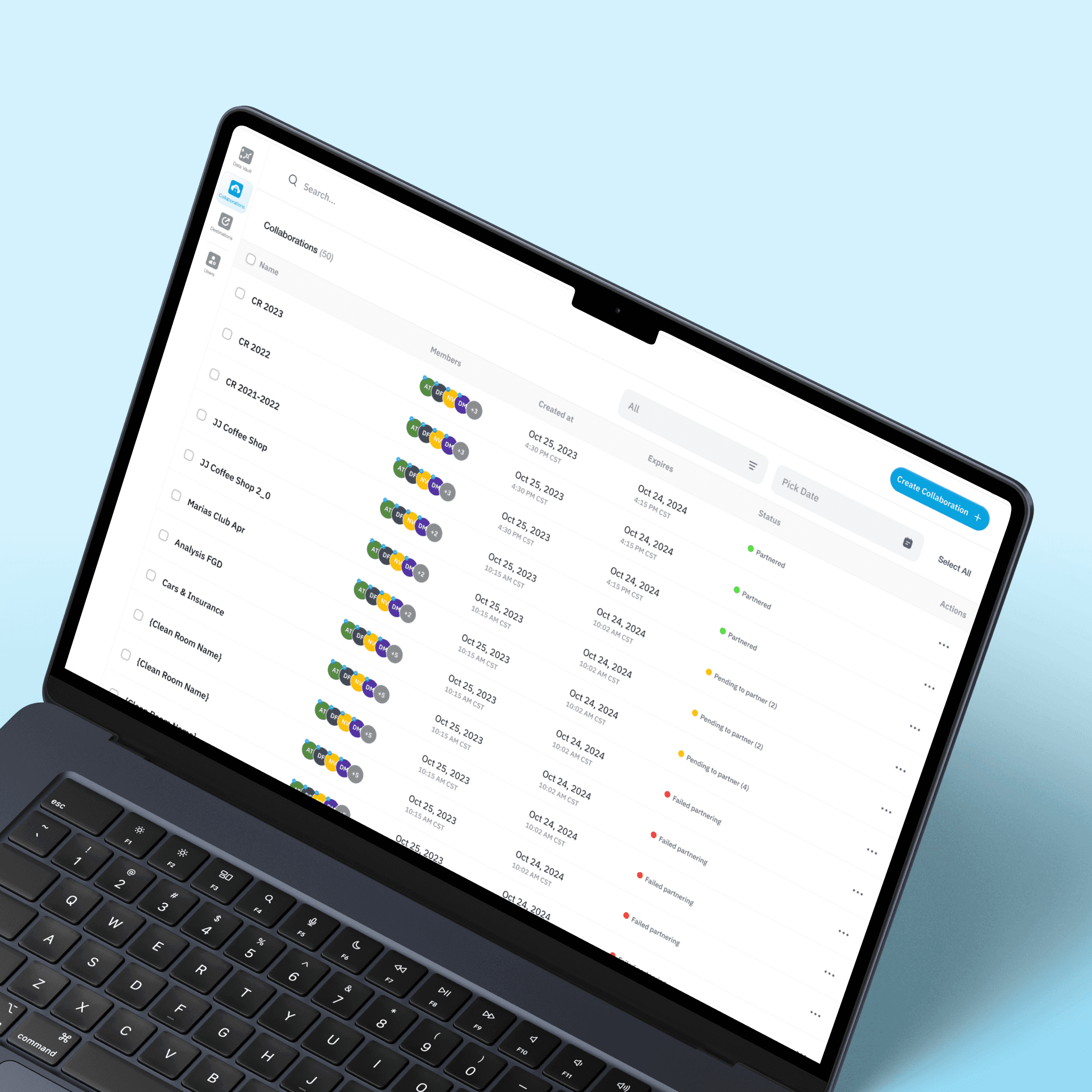
project overview
Acxiom is a global data and marketing technology company that specializes in identity resolution, data management, and privacy-safe data solutions for enterprise brands. For decades, Acxiom has worked at the intersection of data, advertising, and consumer intelligence, helping major organizations unify fragmented customer data and activate it across channels.
They needed to enter and compete in the growing Data Clean Room market. The goal was to design a secure, privacy-first web platform that would allow organizations to collaborate on first-party datasets, generate insights, and run overlap, gap and conversion analysis without exposing raw user-level data.
the challenge
The core challenges were:
Turning abstract privacy-preserving mechanics into understandable workflows
Designing for low and highly technical users without overwhelming them
Structuring collaboration models that balance flexibility with strict compliance
Making key-based matching and normalization concepts visible without exposing identity
Creating confidence in a system where users never actually “see” the underlying data
Unlike traditional SaaS tools, a data clean room operates on invisible logic. Users configure datasets, define keys, run queries, and generate reports without ever touching raw PII. The experience had to communicate trust, clarity, and control at every step.
Additionally, there was no time for extended discovery or low-fidelity exploration. The flows had to be architected correctly from the start, then translated directly into high-fidelity designs that could move into validation quickly.
This was infrastructure-level UX in a privacy-sensitive environment. If the structure failed, the entire system would feel unsafe or unusable.
MY ROLE & Scope
I led the UX direction of the platform.
Responsibilities included:
Competitive analysis
Terminology research and domain understanding
End-to-end user flow definition
Interaction modeling
High-fidelity design
Prototype testing with internal users
Final product refinement
I collaborated with:
One internal UX designer (I guided and structured the process)
A Product Manager
Engineering teams
I drove the UX thinking and system structure. This was a strategic UX leadership role within a technically complex product.
APPROACH
The approach was structured into four focused stages to ensure strategic clarity before moving into execution. Given the technical complexity of data clean rooms and the tight timeline, each stage built on the previous one, from understanding the domain, to analyzing competitive infrastructure, to architecting the full product experience, to prototype and test/iterate. The following phases outline how the foundation was established before designing the platform at high fidelity.
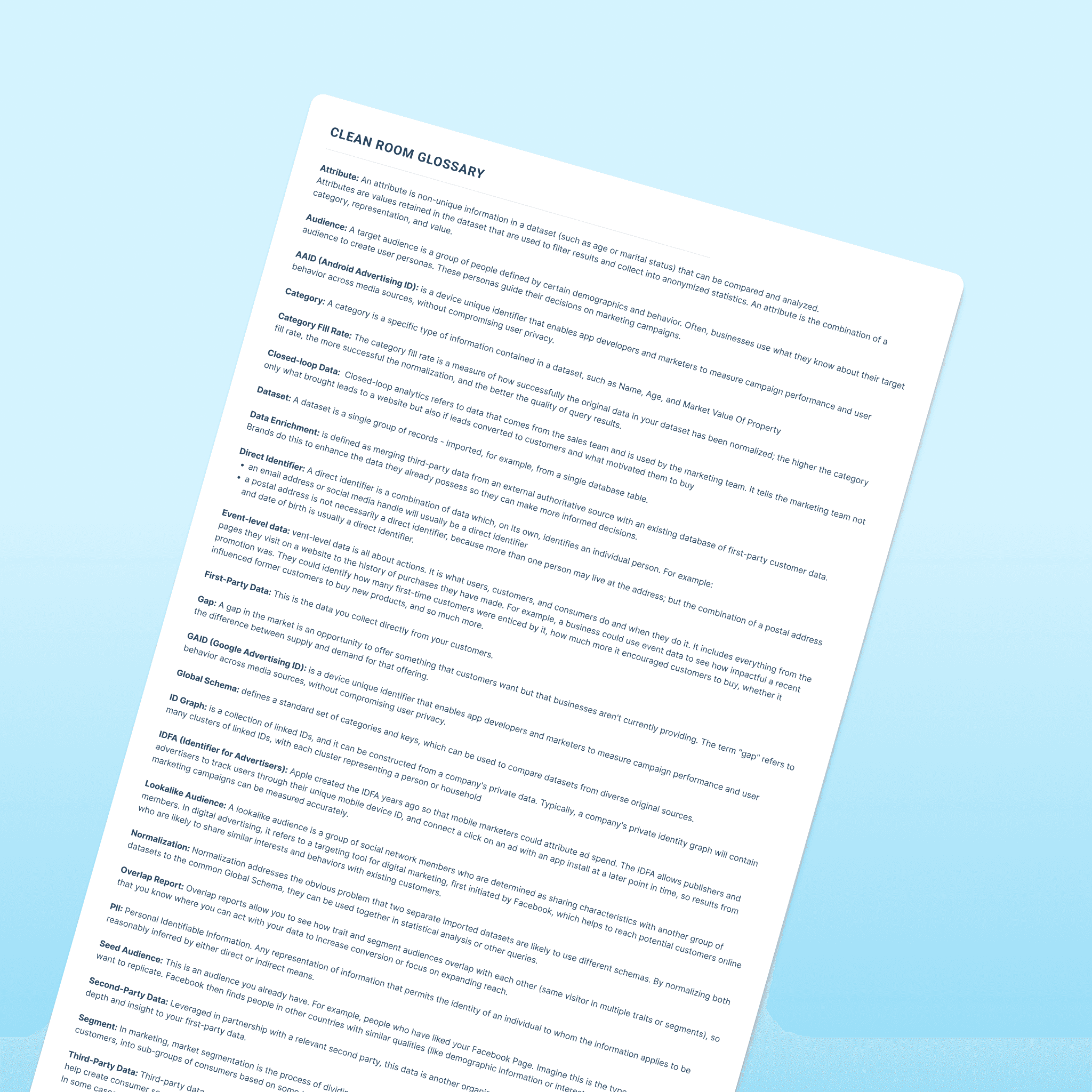
Before designing anything, I had to deeply understand the terminology.
Data clean rooms have their own language:
Key fill rate, normalization, direct identifiers, event-level data, ID graphs, AAID, IDFA, global schema, overlap, seed audiences, etc.
To avoid designing blindly, I created a full glossary of core terms and mapped how they relate to user actions.
This step was critical. Without mastering the language, the flows would break.
Phase 2 – Competitive Analysis
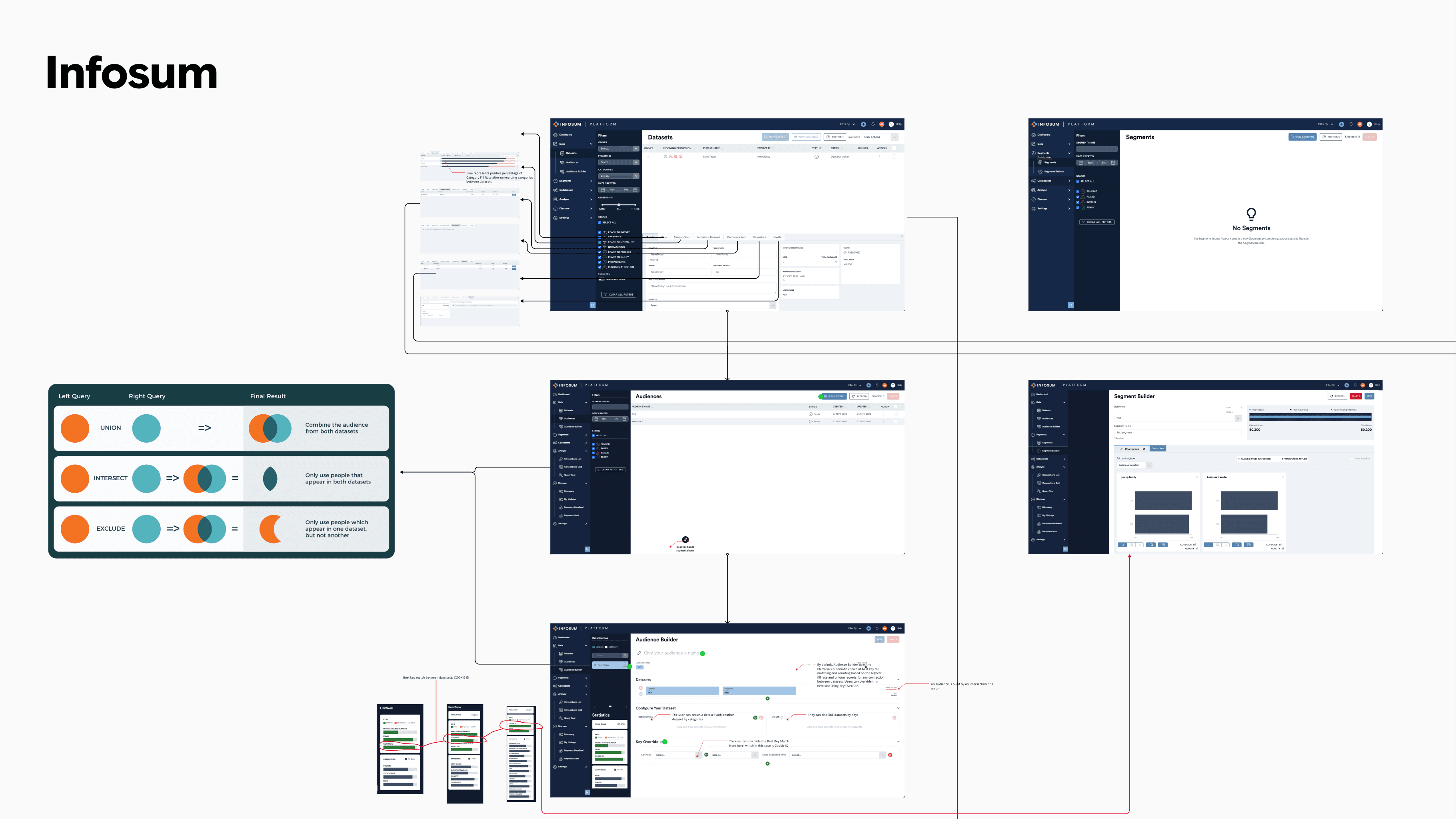
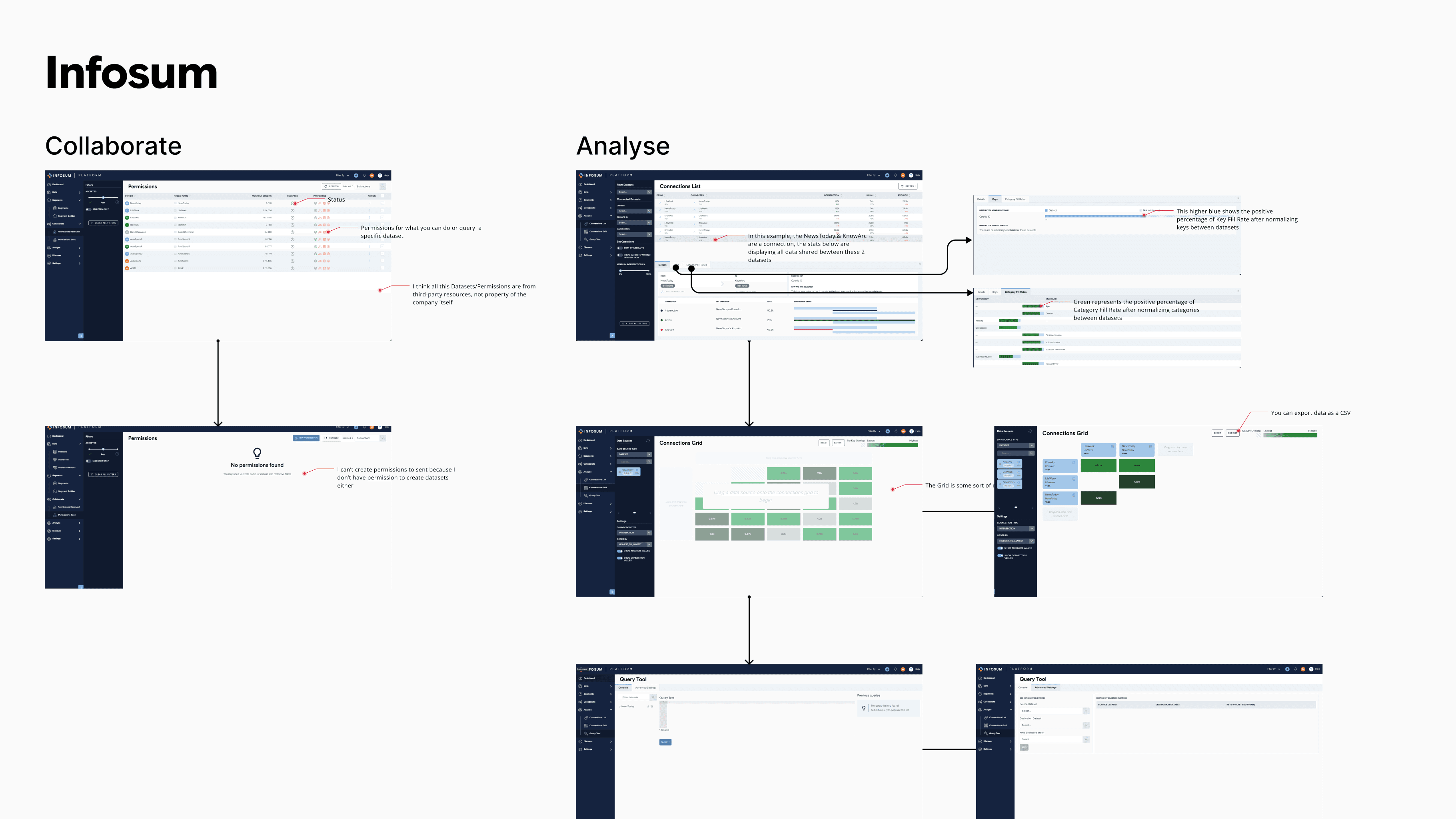
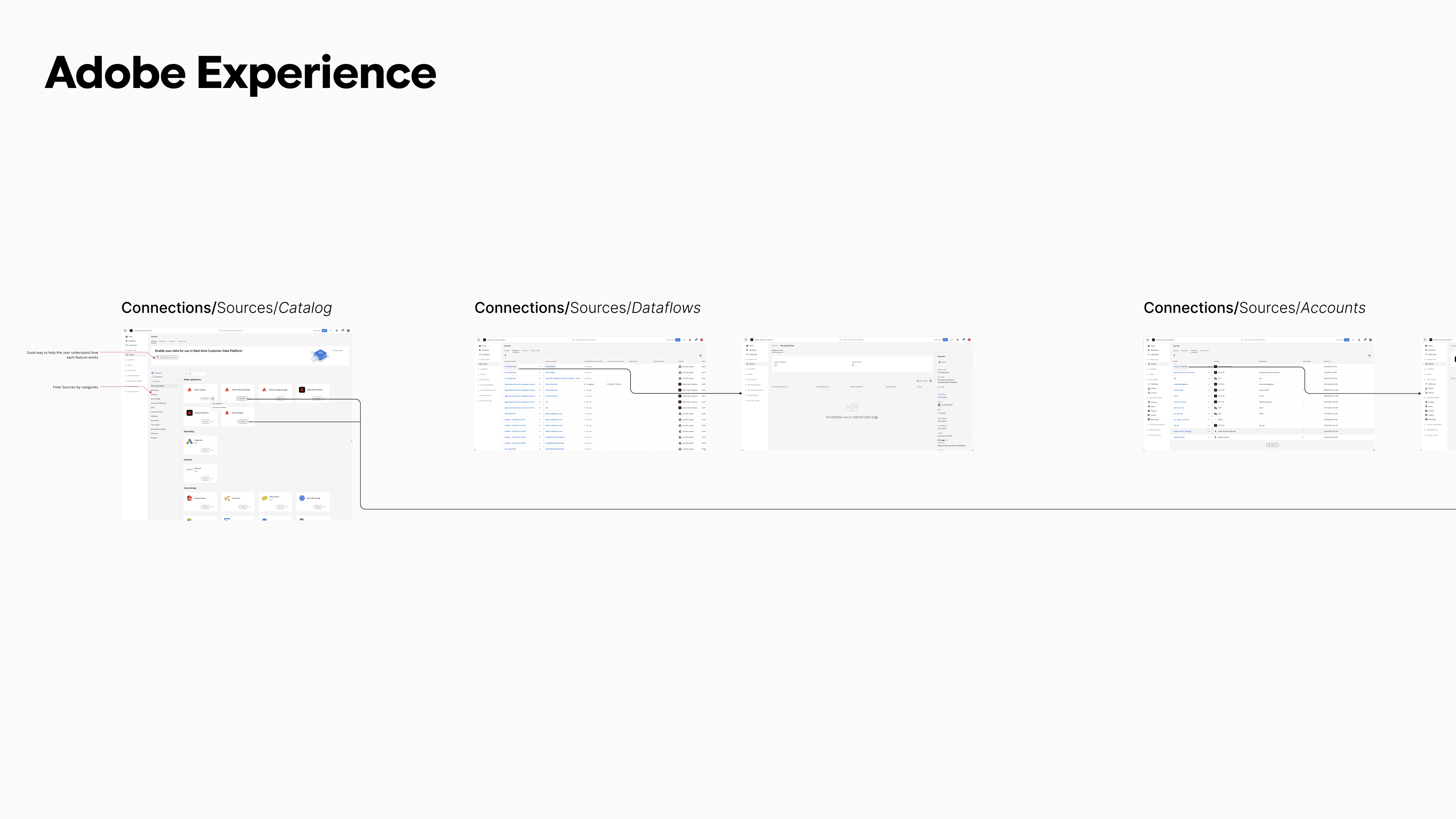
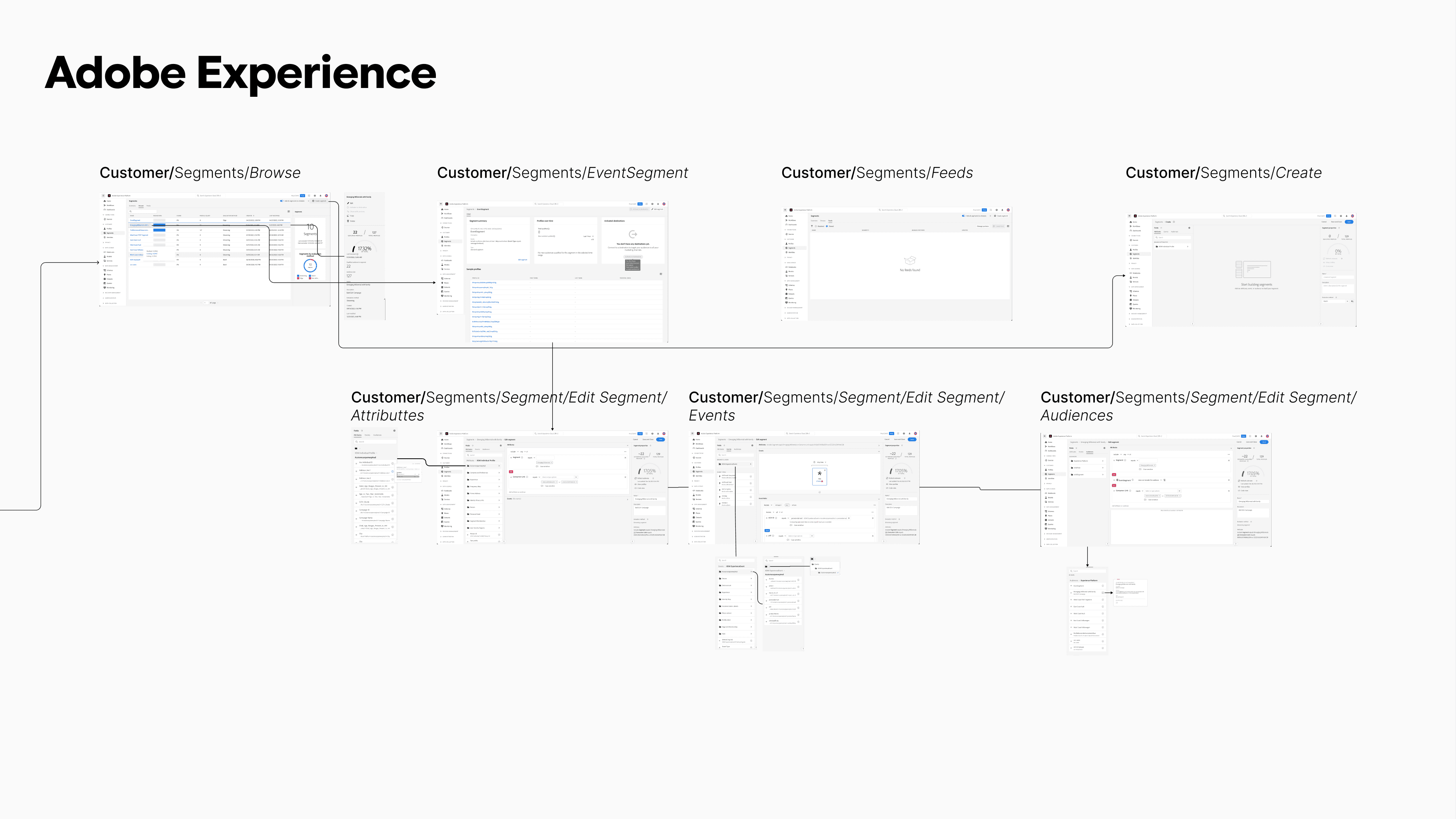
I conducted a deep analysis of platforms like:
Infosum
Adobe Experience Platform
I mapped:
All major navigation structures
Dataset ingestion patterns
Collaboration setup flows
Permission models
Segment creation logic
Query builders
Connection configuration
Reporting dashboards
I didn’t just look at visuals. I mapped the behavioral logic of each action.
This allowed me to understand:
How datasets are normalized
How keys are matched securely
How audience intersections are computed
How user permissions restrict query access
Only after understanding the mechanics could I start designing responsibly.
Phase 3 – Experience Architecture & Flows
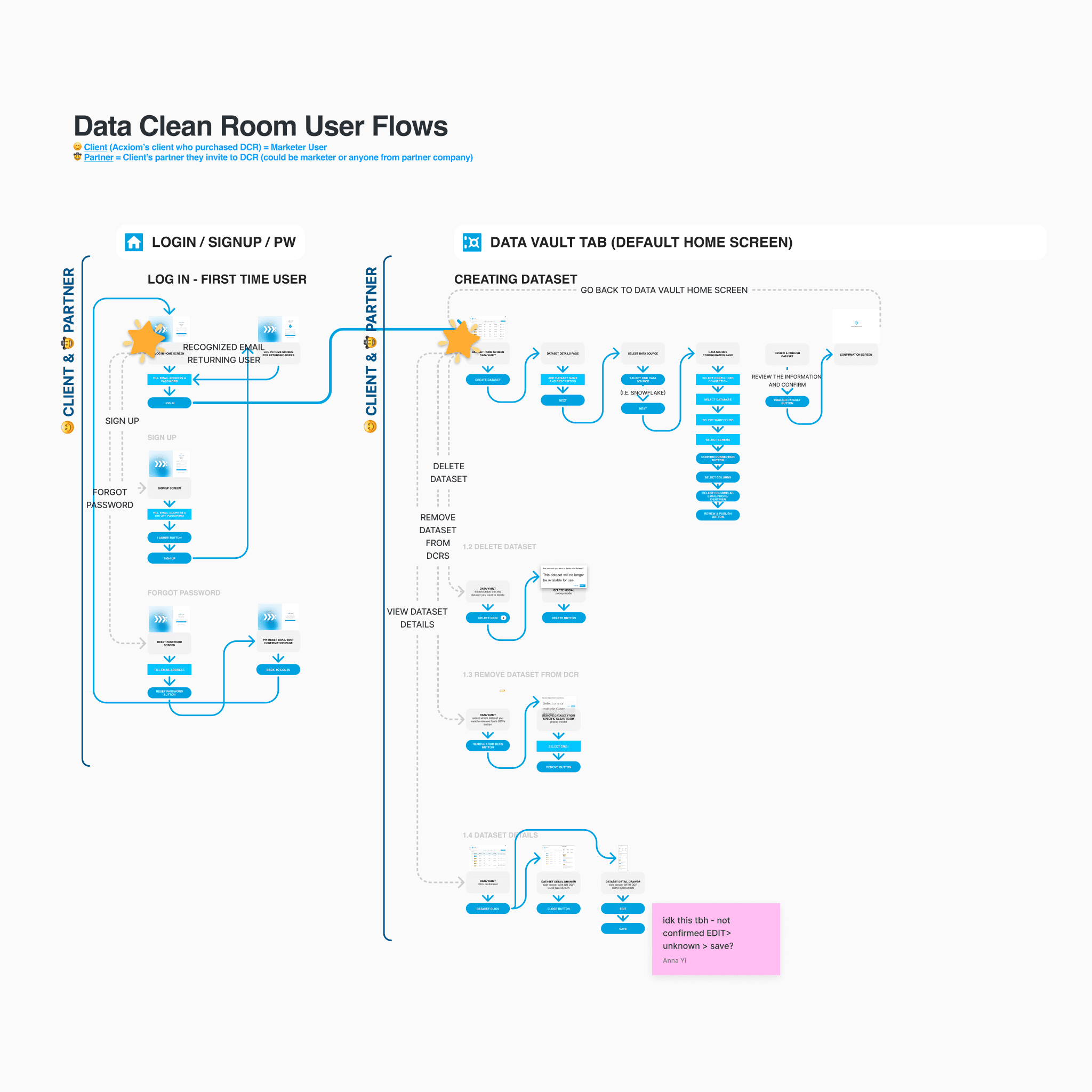
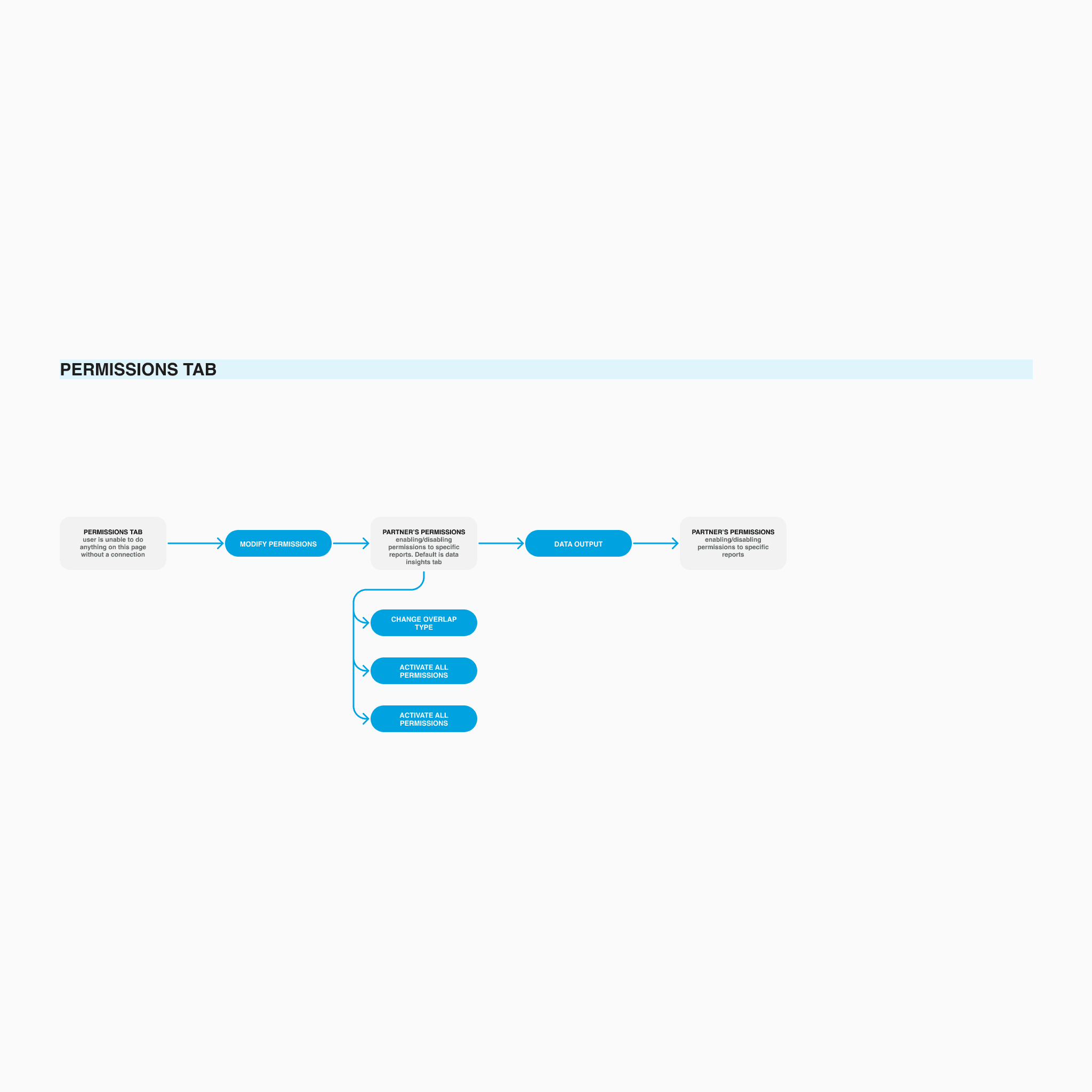
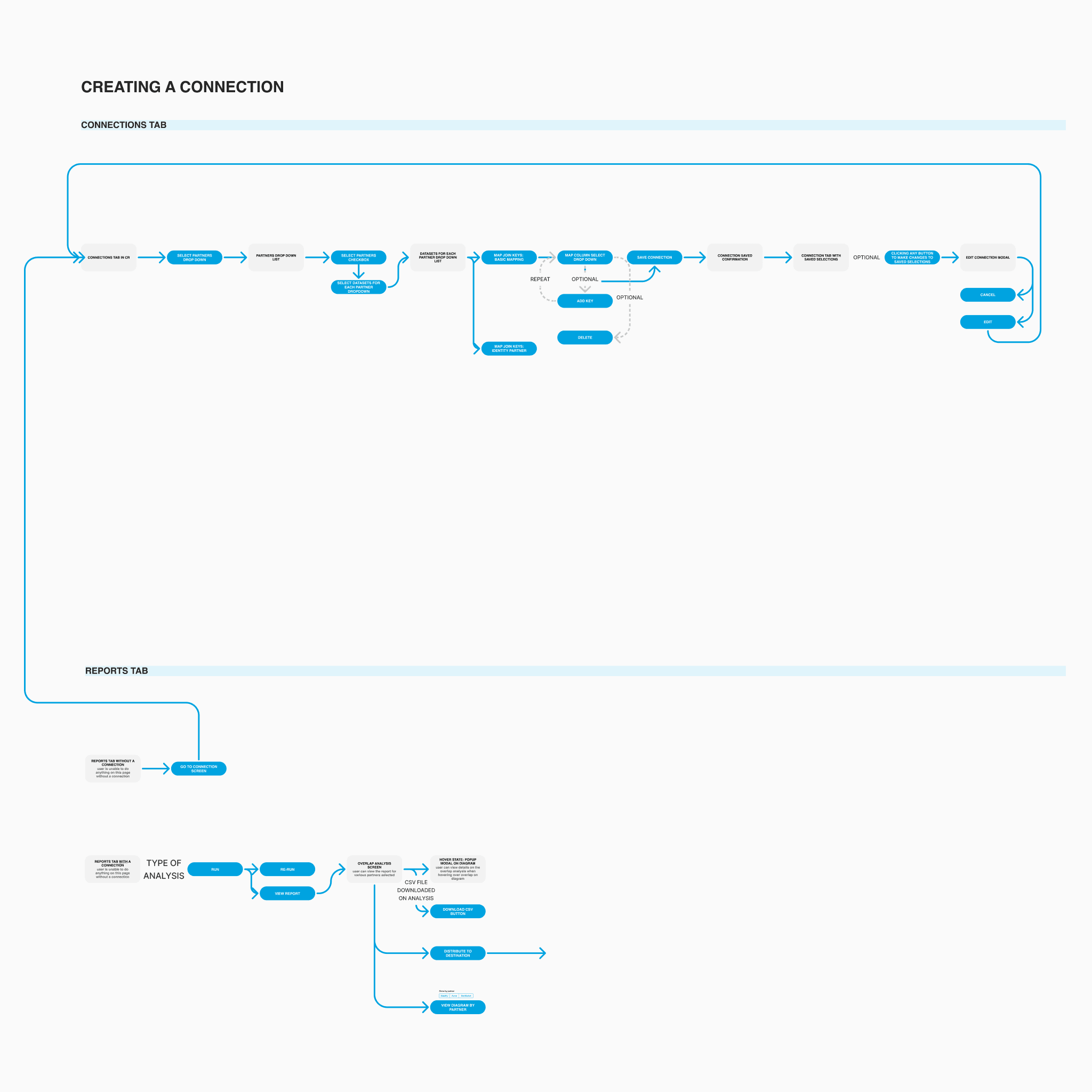
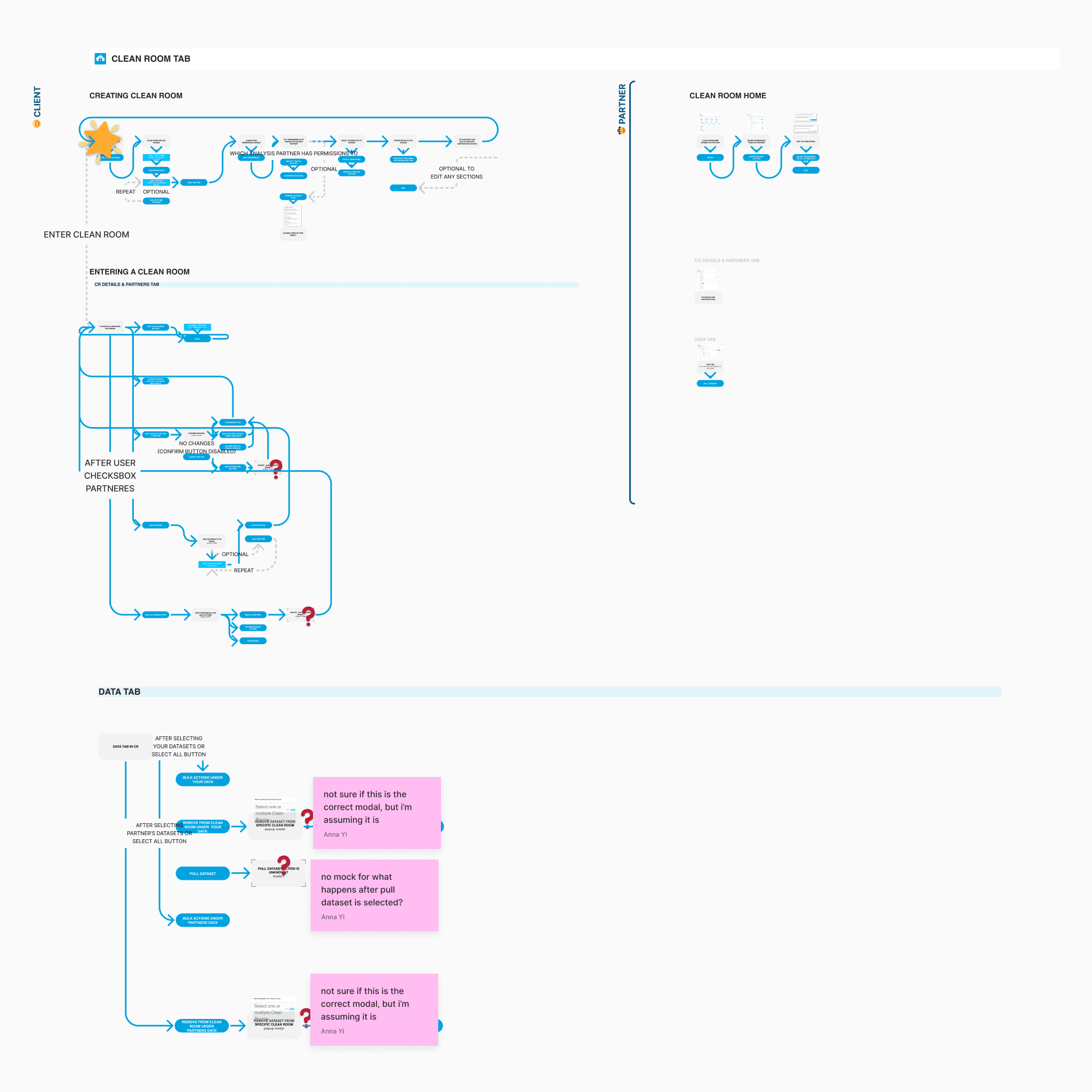
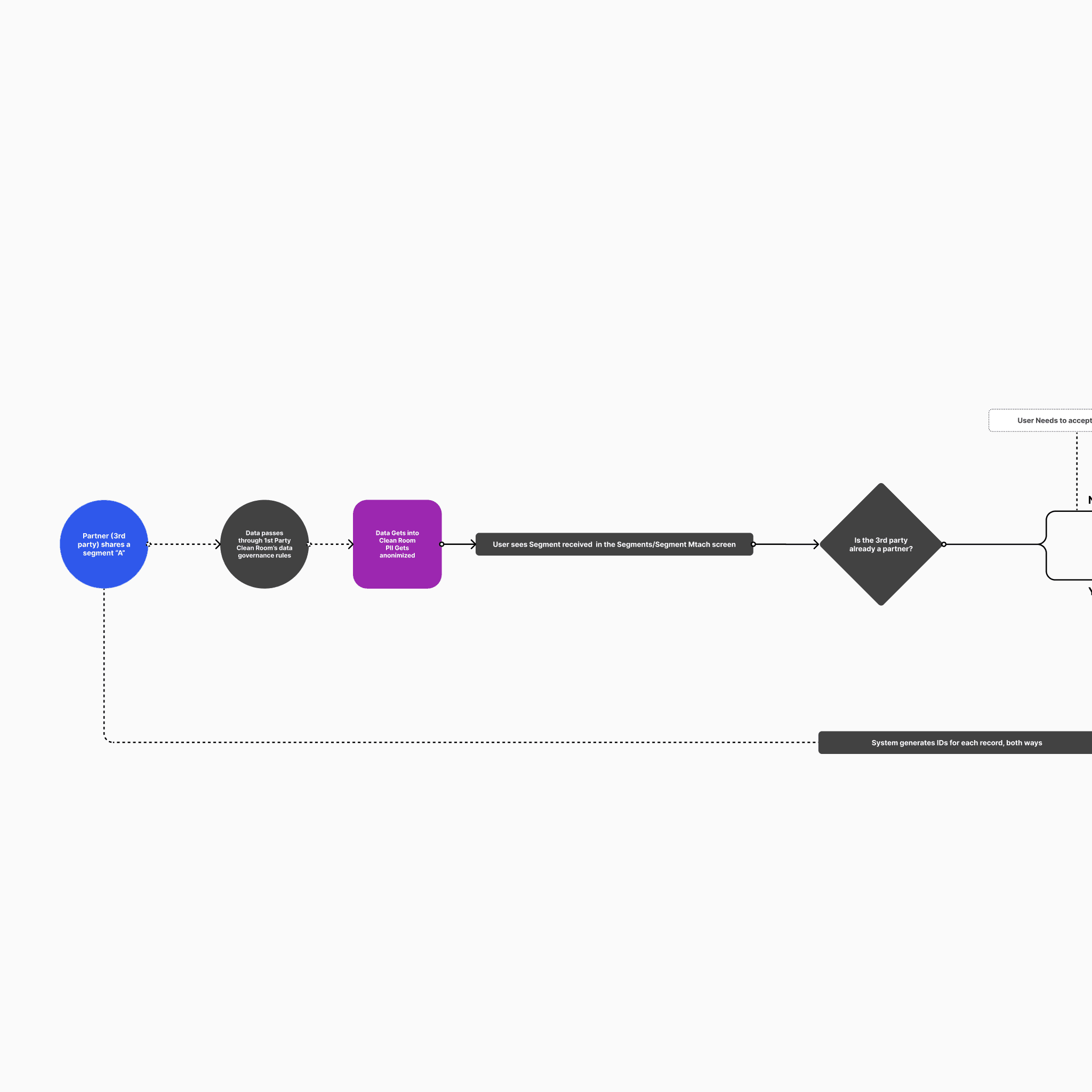
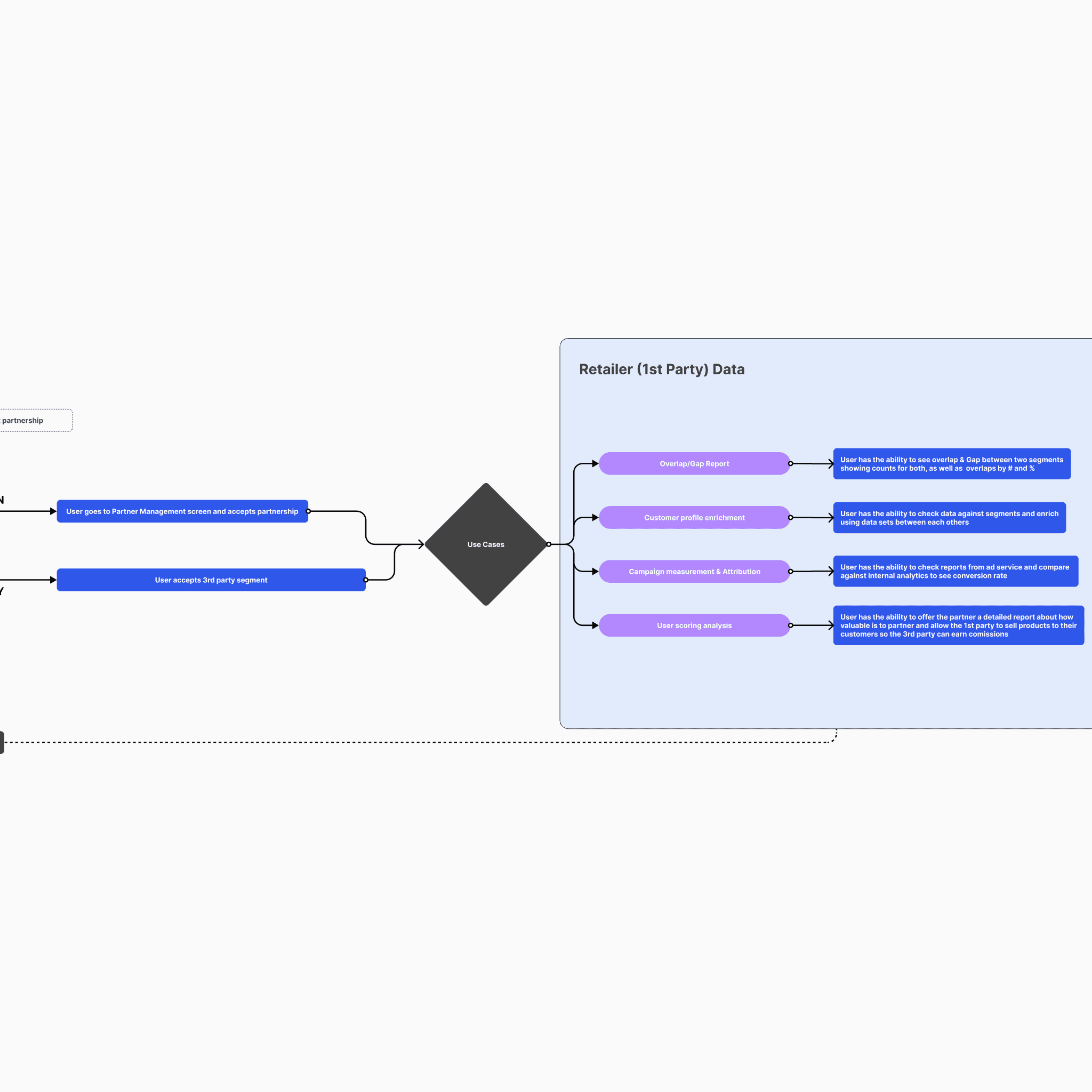
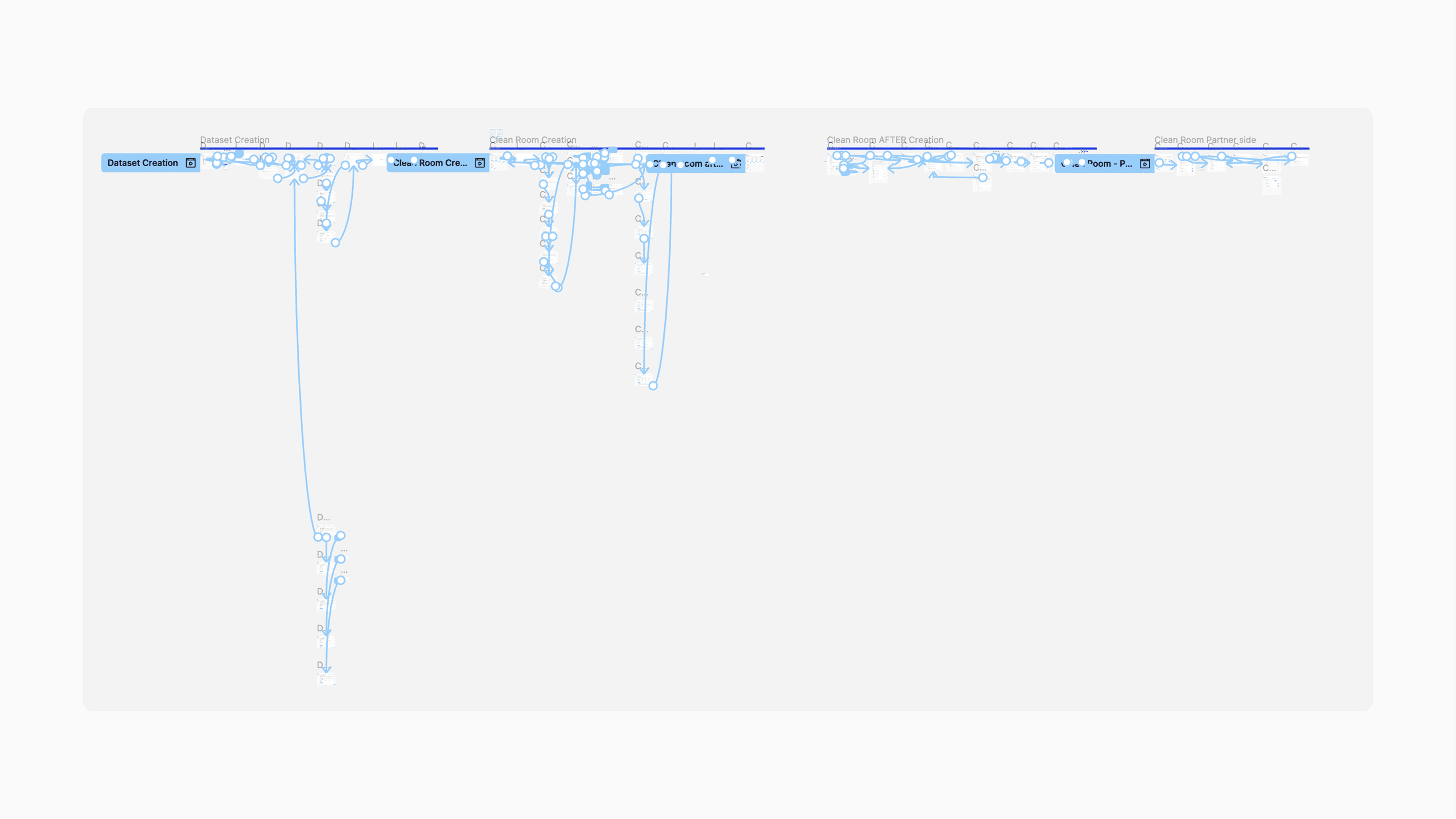
Before any screens were designed, I mapped:
Dataset creation flows
Collaboration setup flows
Key mapping and join configuration
Connection setup between partners
Report execution logic
End-to-end user journeys
The clean room model revolves around a few core pillars:
Datasets
Collaborations
Connections
Reports
Everything had to orbit these four foundations.
Given timeline constraints, there was no low-fidelity phase. I moved directly into high-fidelity, but only after validating the flows thoroughly.
Phase 4 – Testing & Iteration
I tested prototypes with internal users before release.
The focus of testing was:
Terminology clarity
Query comprehension
Permission understanding
Confidence in running reports
Error prevention
Given the complexity of the system, reducing ambiguity was critical.
After testing, I refined:
Navigation clarity
Action hierarchy
Permission labeling
Feedback states
SOLUTION
The platform was designed around four foundational experience areas that define how a data clean room operates: dataset creation, collaboration setup, connection configuration, and reporting. Each area represents a critical layer of the system, moving from secure data ingestion to privacy-safe analysis. Together, they form the operational backbone of the product while maintaining strict control over identity and access.
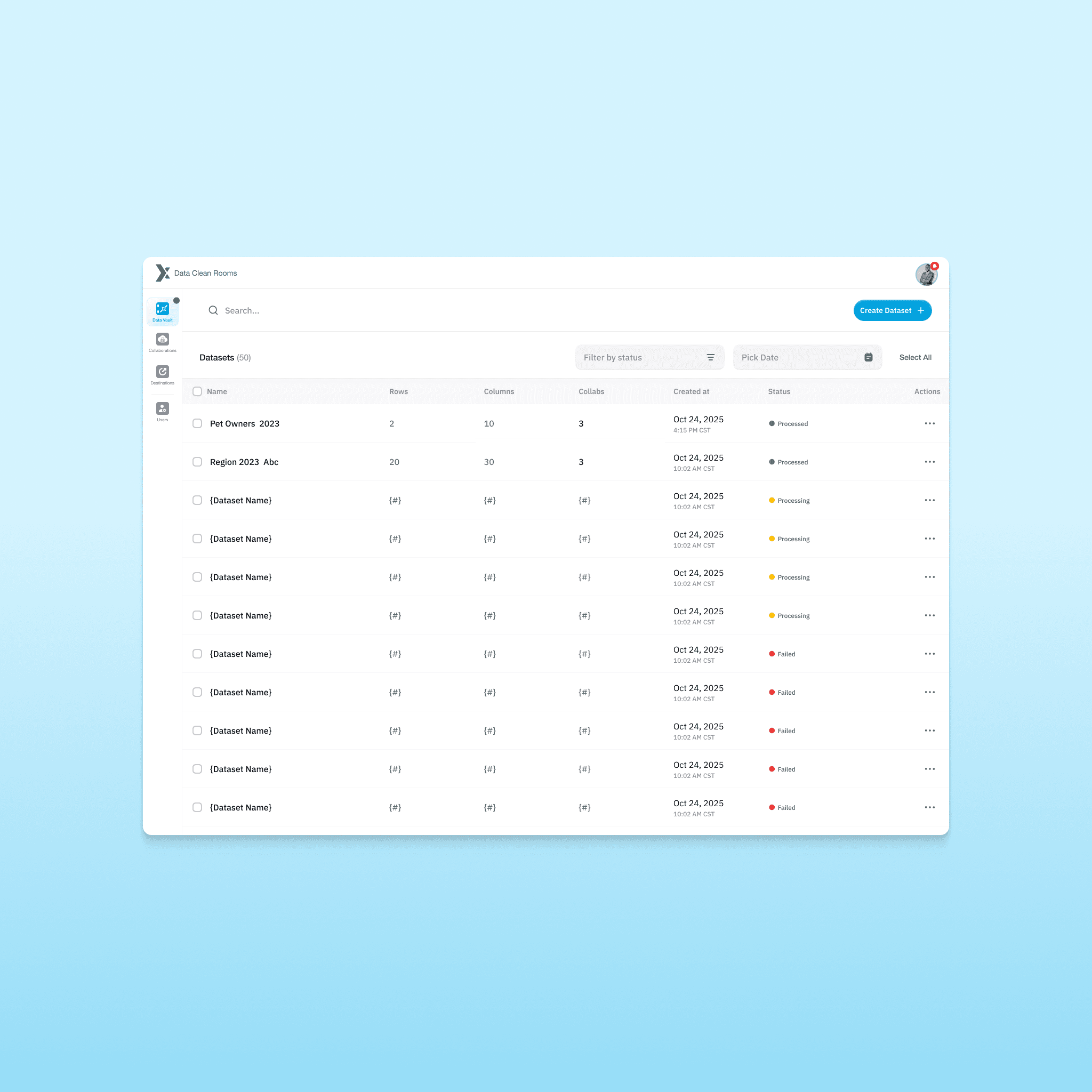
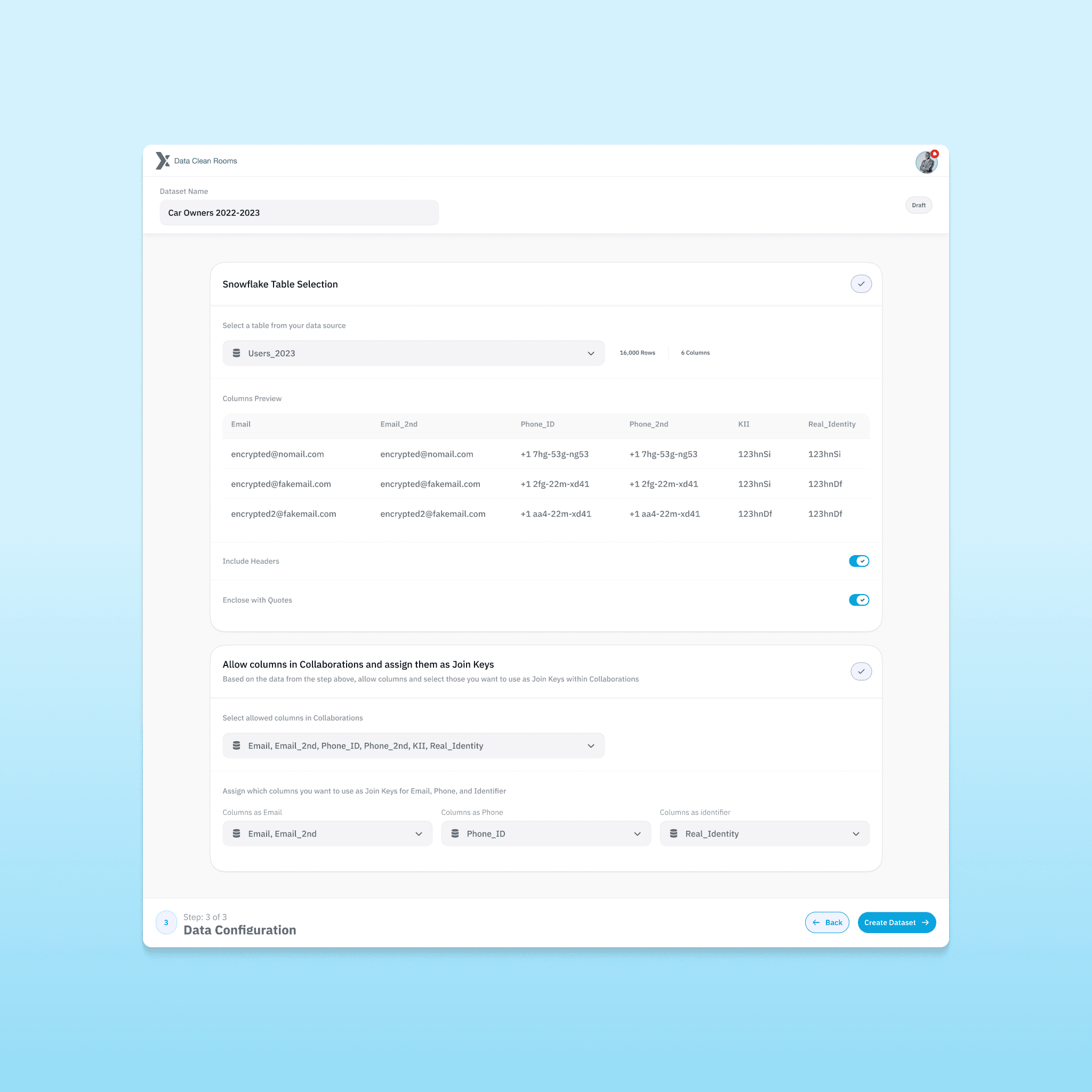
Dataset Creation
he platform needed a structured ingestion experience.
Key considerations:
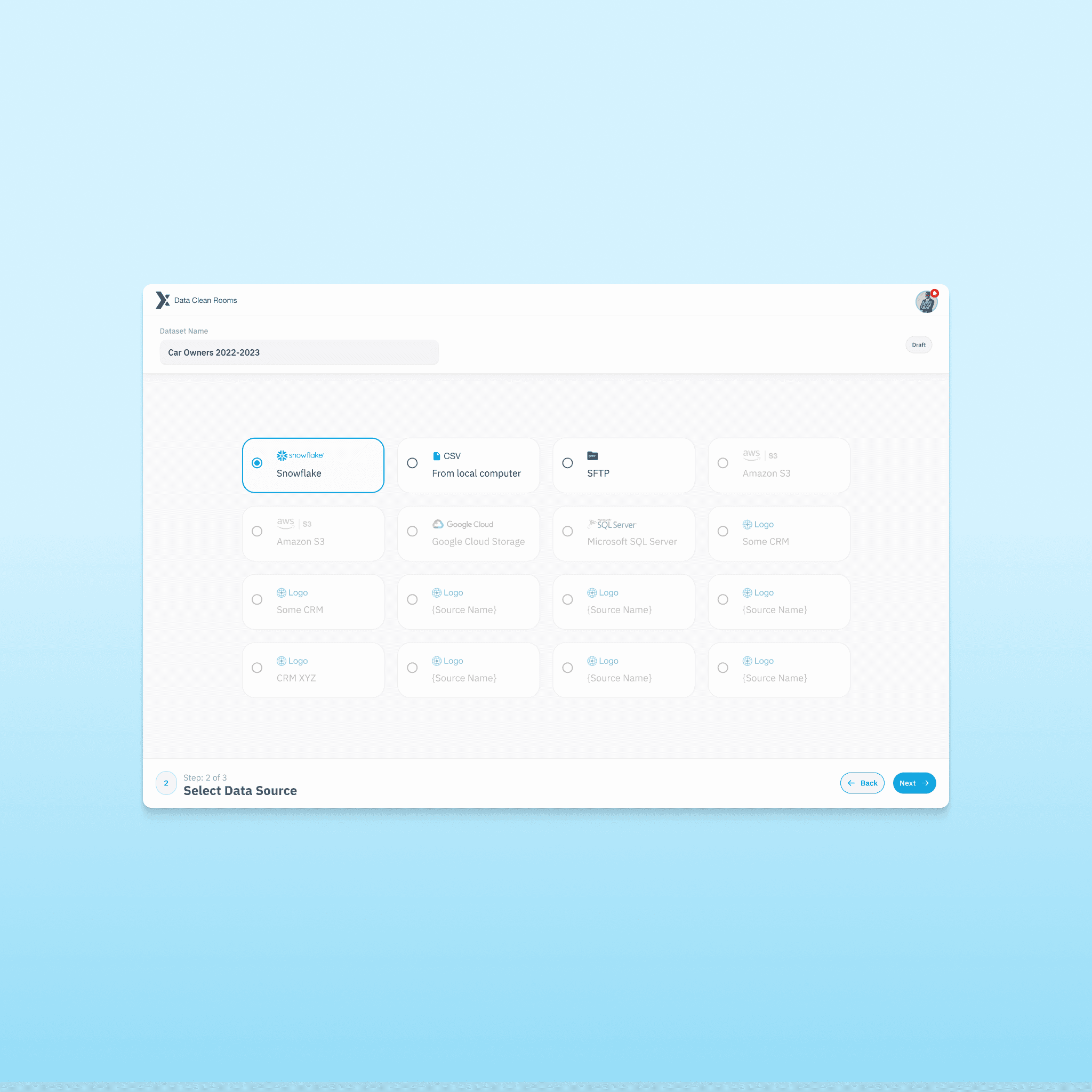
Multiple data source inputs
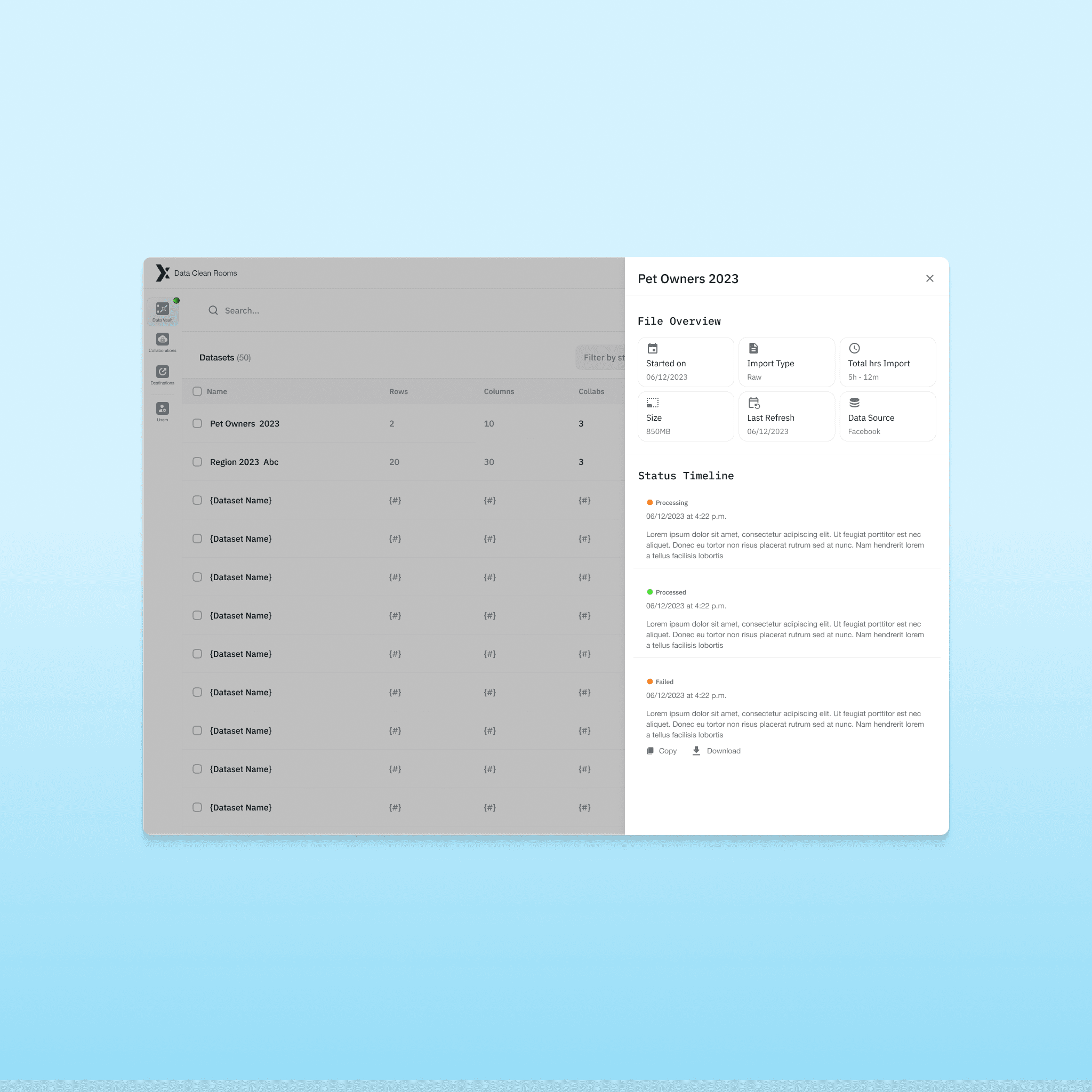
File validation and status feedback
Schema mapping
Key identification and normalization
Join key configuration
The design ensures users can:
Select data sources
Define primary keys
Normalize datasets
Configure matching fields
Monitor ingestion status
All without exposing direct identifiers.
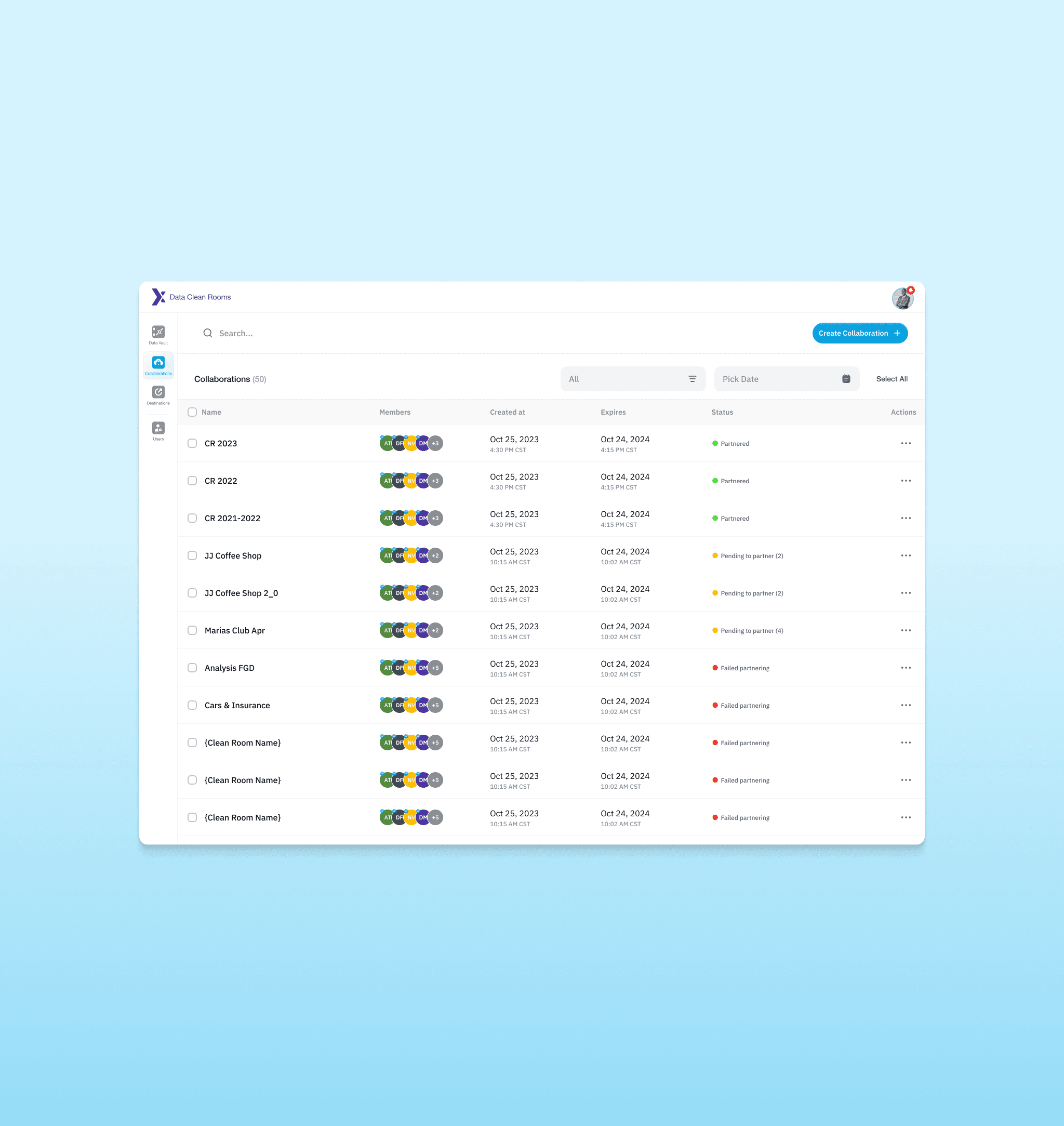
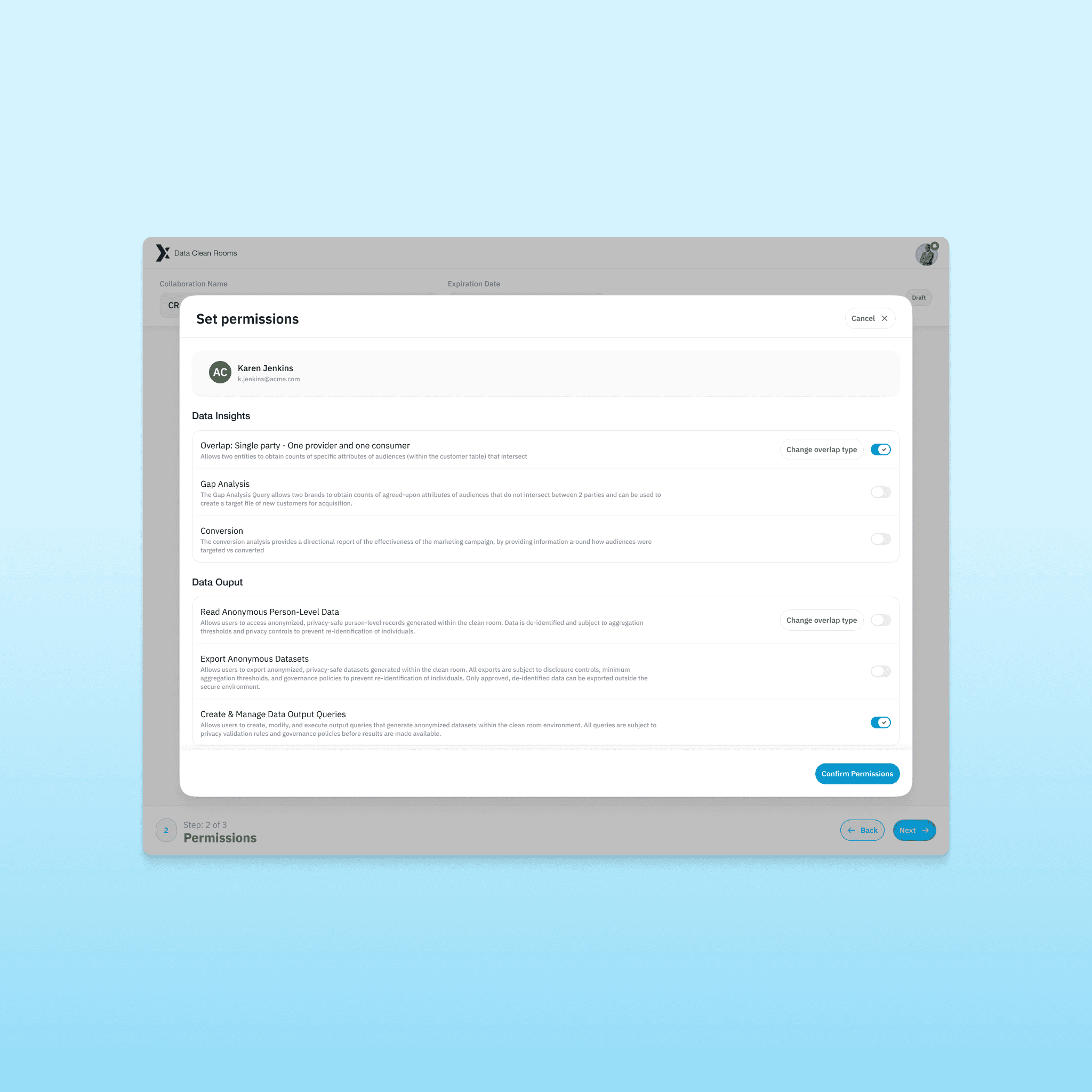
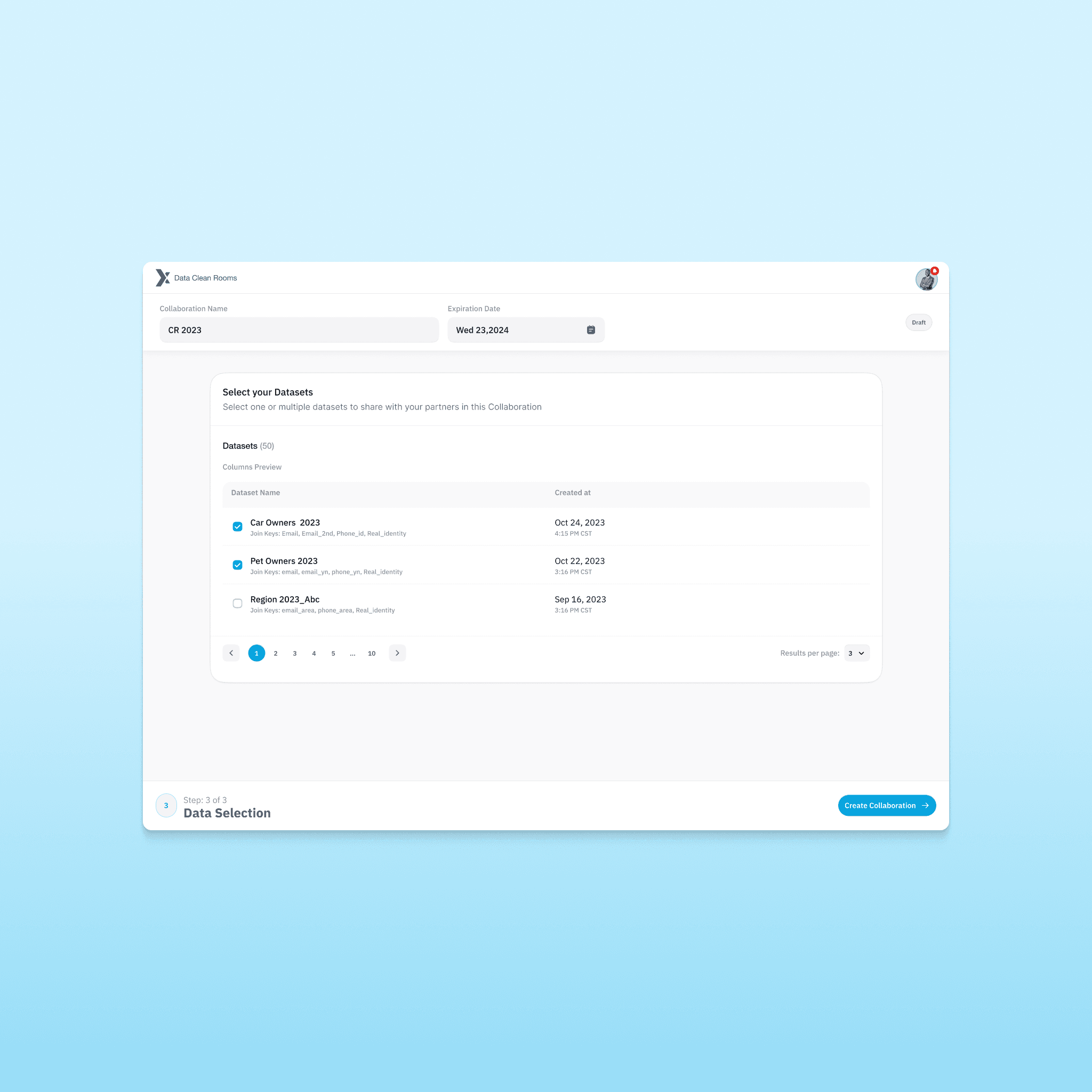
Collaboration Setup
Clean rooms are built on trust boundaries.
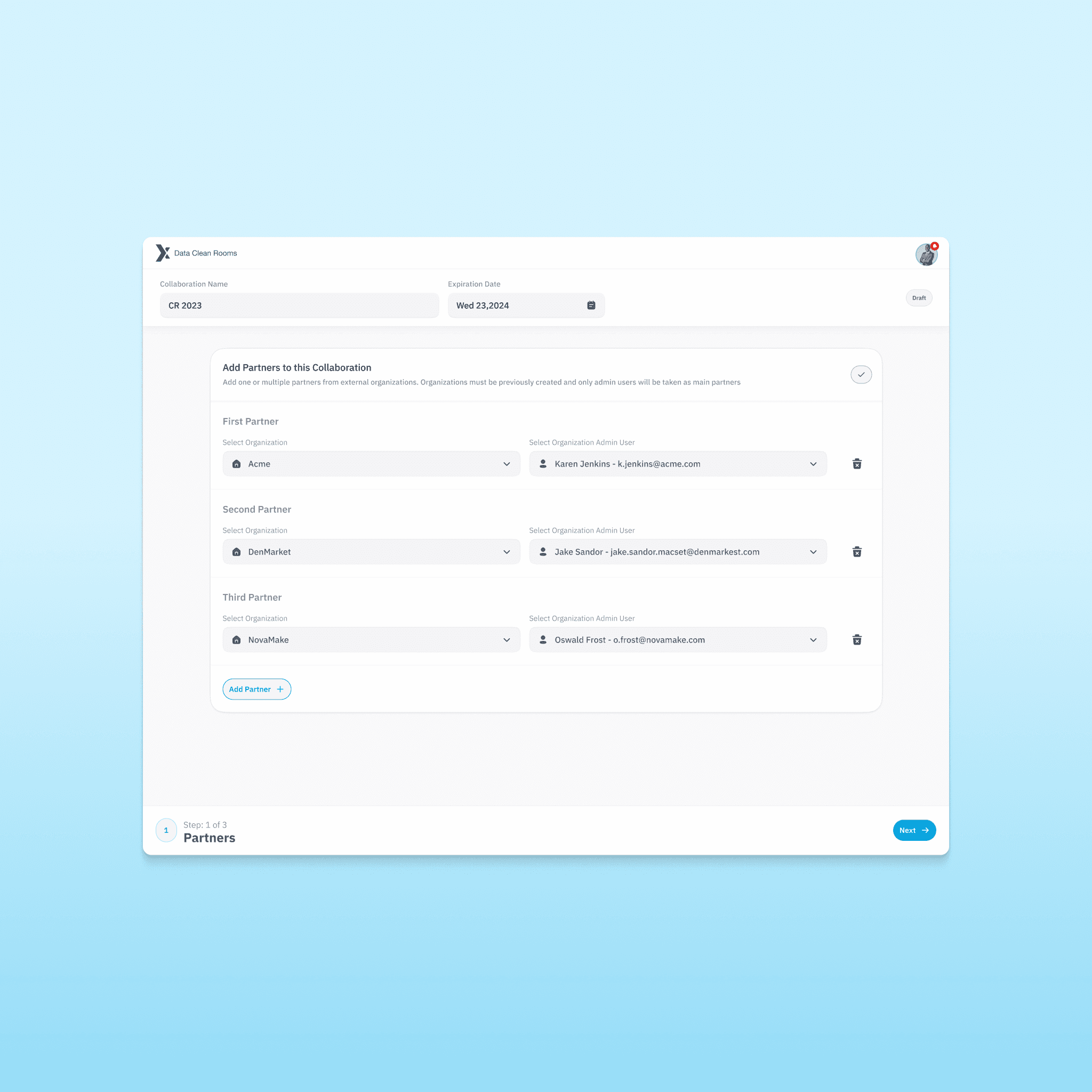
The collaboration feature allows organizations to:
Define partner participants
Control dataset access
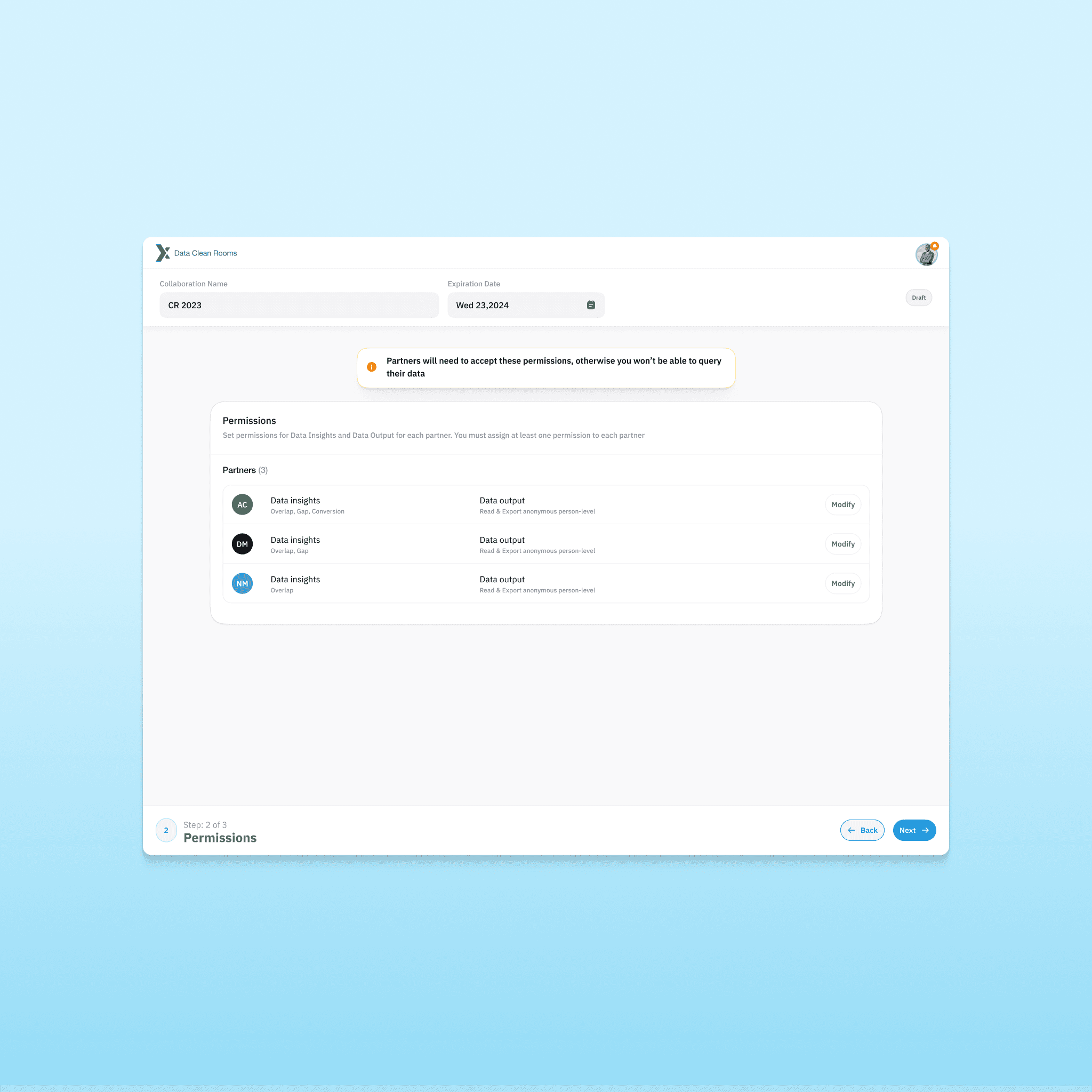
Set granular permissions
Restrict query capabilities
Prevent unauthorized exports
Permissions were designed carefully to avoid accidental data leakage.
Users can configure:
Data insight permissions
Output restrictions
Query rights
Export controls
This is where UX meets compliance.
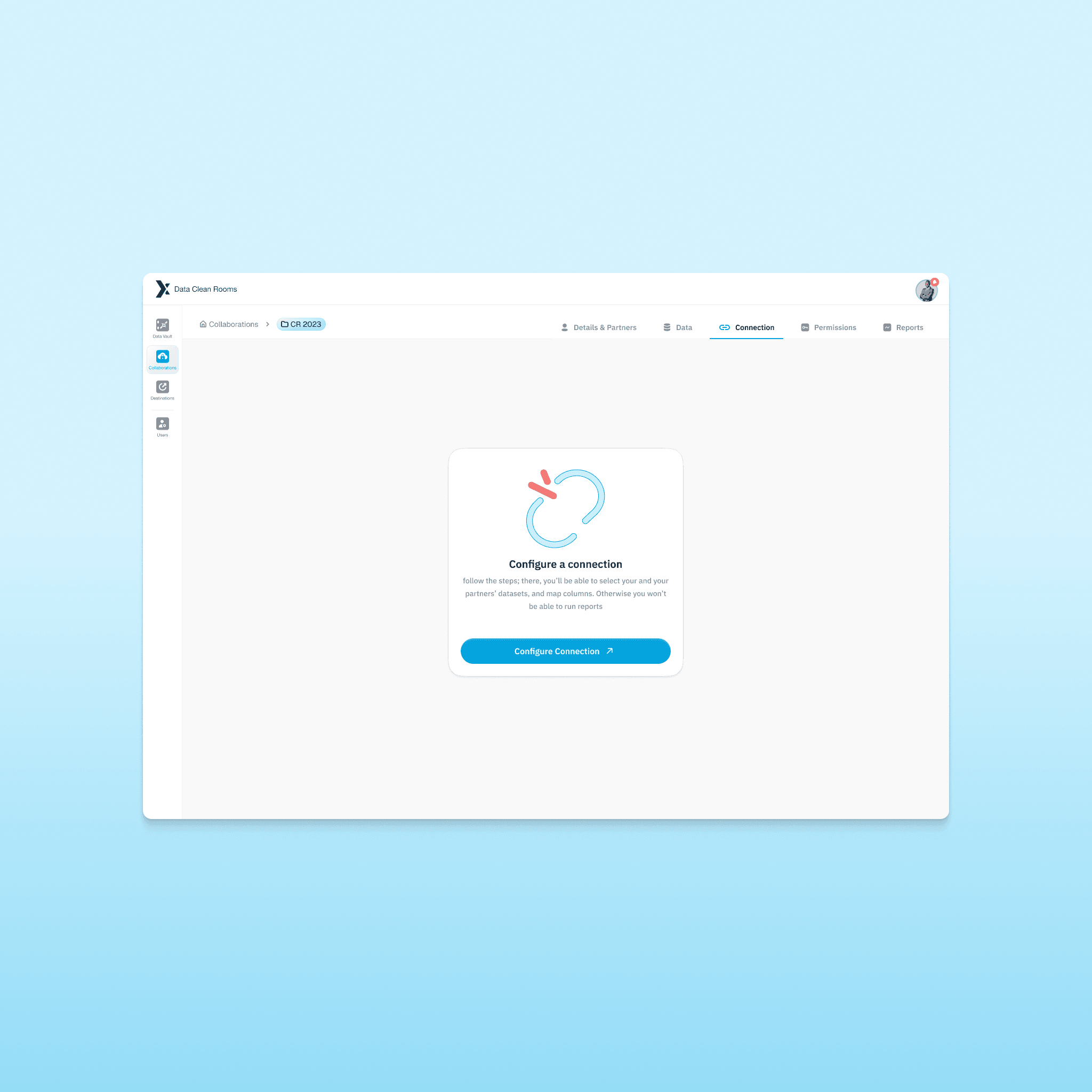
Connections
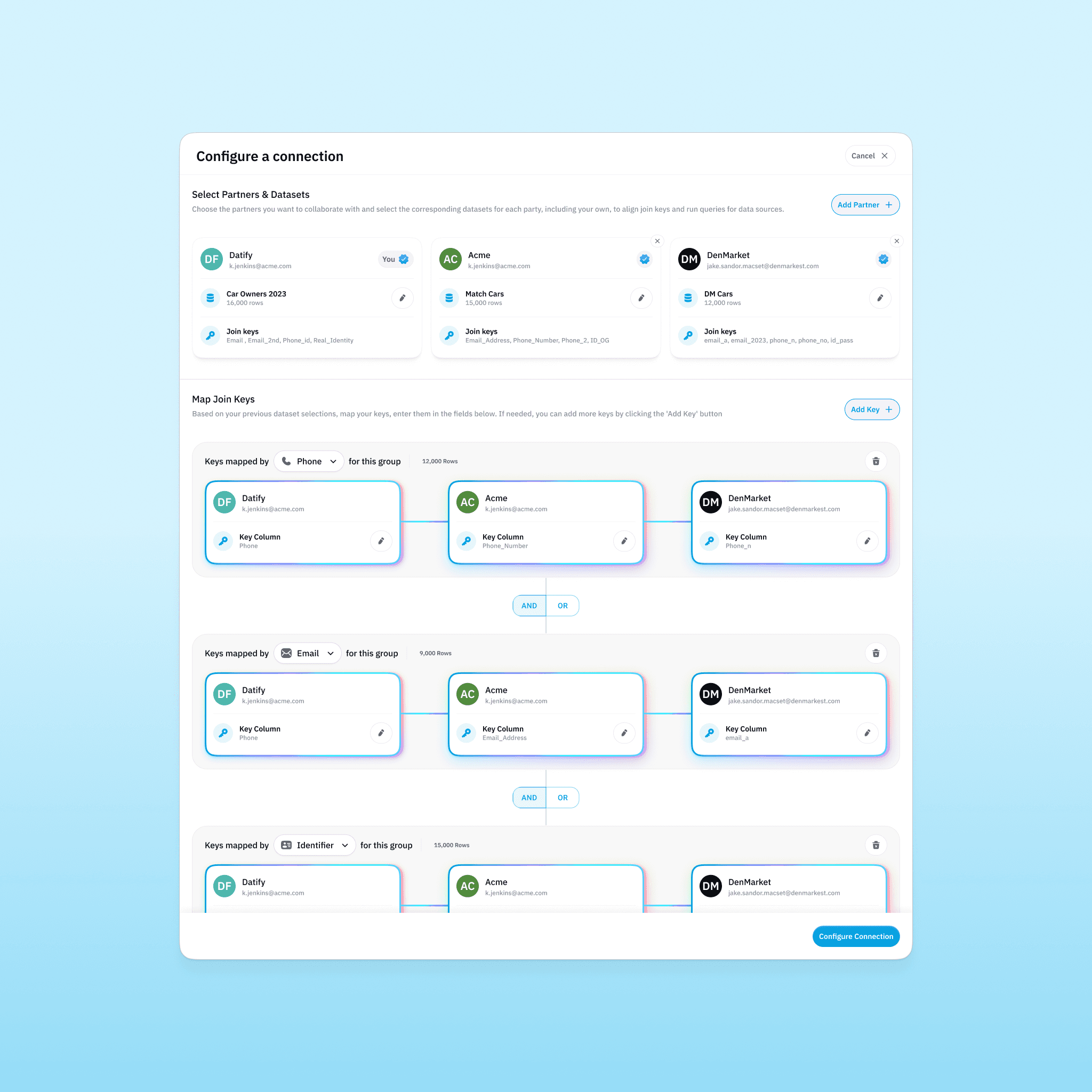
Connections define how datasets interact.
Users can:
Select participating datasets
Define matching keys
Configure join logic
Create union, intersect, or exclude queries
Run controlled analysis
The configuration panel had to make complex logic feel manageable.
Matching happens through anonymized keys.
No raw PII is exposed.
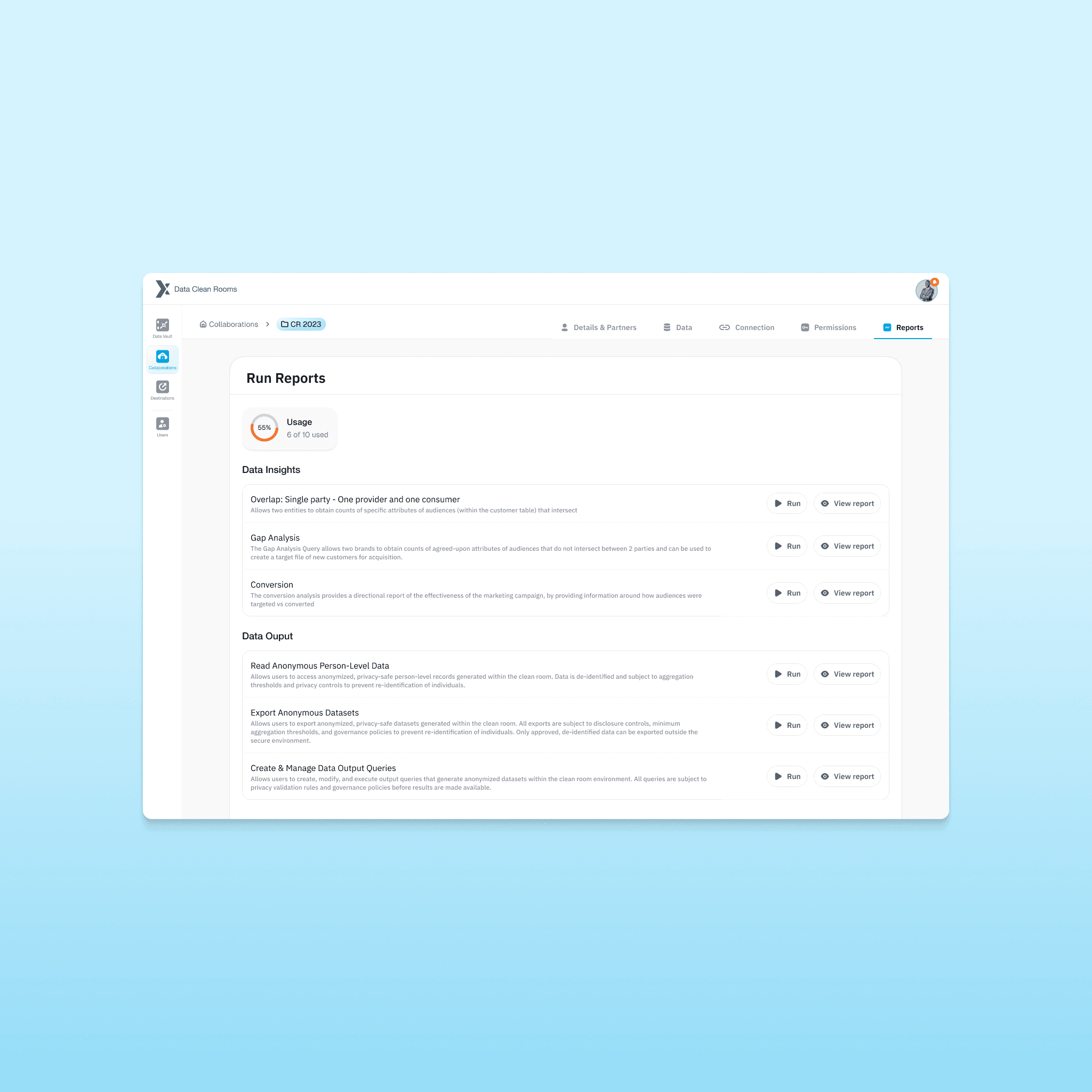
Reports & Analysis
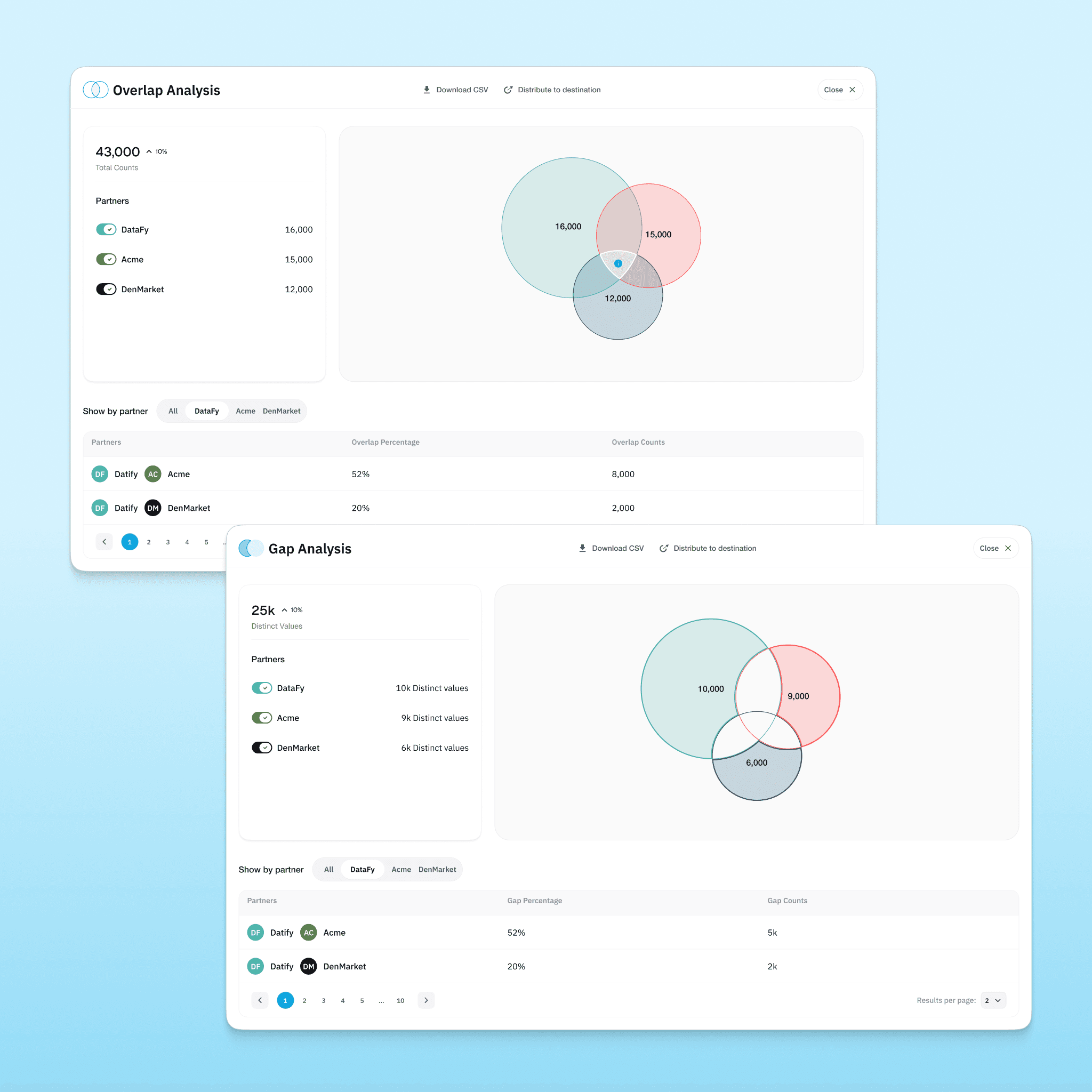
Once connections are configured, users can generate:
Overlap reports
Gap analysis
Conversion reports
Aggregated audience metrics
The system visualizes intersections, counts, percentages, and comparison metrics.
All results are aggregated.
No user-level data leaves the environment.
Privacy remains intact.
results
& impact
The result was a competitive Data Clean Room platform capable of secure dataset ingestion, controlled multi-party collaboration, privacy-preserving identity matching, and actionable reporting built on aggregated insights. The architecture was designed for scalable expansion, allowing new partners, datasets, and analytical use cases to be added without compromising governance. With this foundation, Acxiom positioned itself within a high-growth category where privacy compliance and first-party data strategy are no longer optional, but central to enterprise marketing infrastructure.
Conclusion
Designing a data clean room platform was a different level of complexity. It was not about improving an existing interface. It was about translating invisible infrastructure into something usable and trustworthy.
The most challenging part was that users never actually see the data they are working with. Everything happens through keys, permissions, and controlled queries. That forced me to think carefully about clarity, terminology, and trust. If the structure was confusing, the entire system would feel unsafe.
This project pushed me to operate at a more strategic level. I had to immerse myself in a highly technical domain, dissect competitive infrastructure, and define experience architecture before even thinking about screens. It reinforced how critical system thinking is when designing products that handle sensitive data.
More than anything, it showed me how UX sits at the intersection of privacy, engineering, and business strategy, and how much responsibility comes with designing tools that operate in secure environments.