Elevault
INDUSTRY
Fintech / Digital Banking
ROLE
UX Researcher & UX Designer
team
12 Total
PRODUCT
Mobile App (iOS & Android)
Year
2024
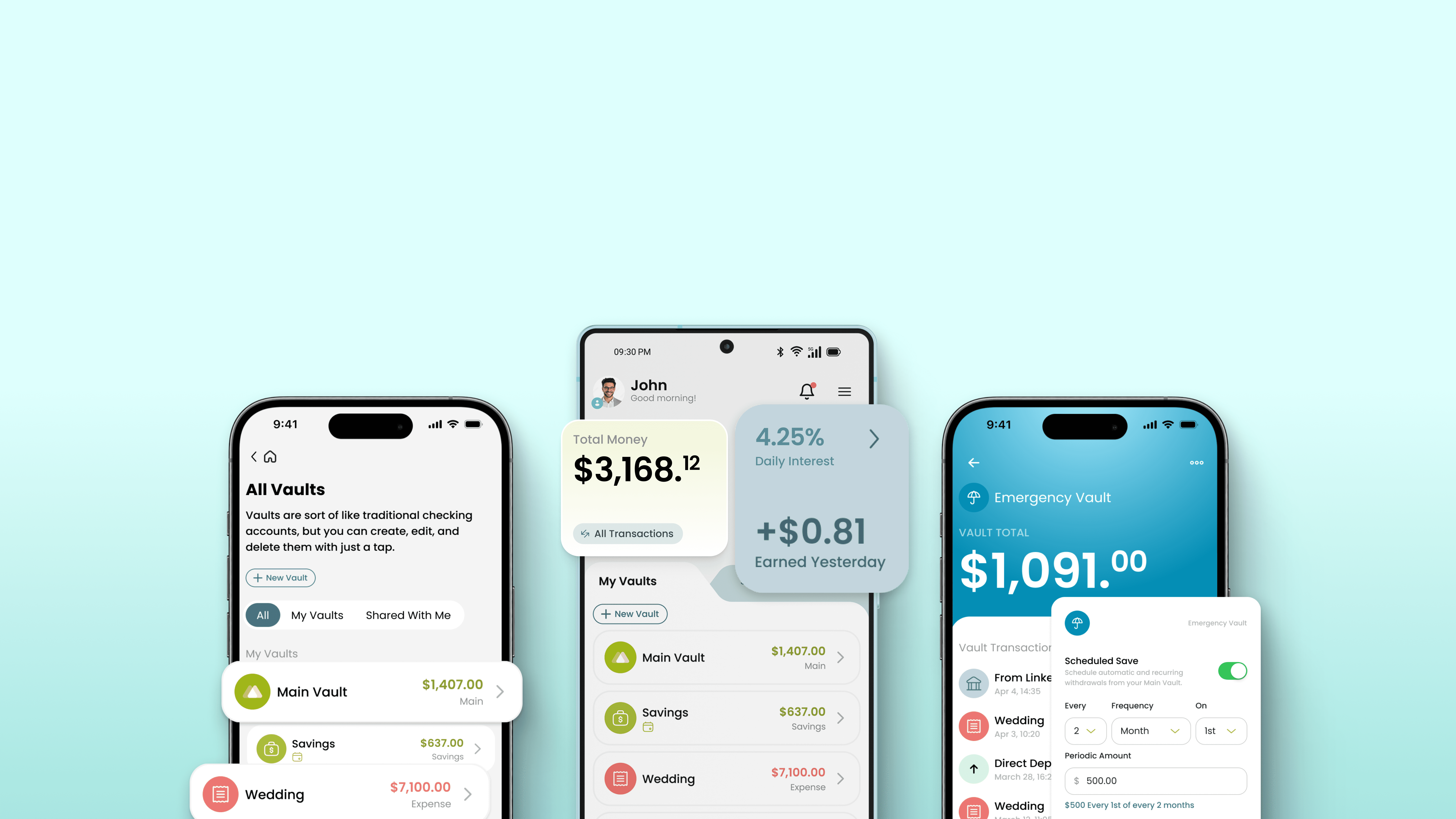
project overview
Elevault is a savings and wealth-building app backed by Southern Bancorp Bank, built to help users grow their money through high-yield savings, personalized vaults, and automated savings tools.
Metova was brought in to conduct a UX audit and heuristic evaluation of the existing app. The goal was not a redesign, the client wanted to understand where the product stood and what needed to improve before committing to further investment. What we found was a product with significant usability gaps: inconsistent patterns, friction-heavy flows, and an interface that worked against its users more often than it worked for them.
The audit made the case for change. Once the findings were presented, the client moved forward with a full redesign. The app is currently live on the App Store and Google Play with the new design and updated flows.
the challenge
Elevault's core promise is simplicity: save money, grow wealth, stay in control. The existing app fell short of that promise across every major flow. Onboarding was fragmented and generated distrust at critical moments. Key interactions like moving money or managing vaults required more steps than necessary and lacked the feedback users needed to feel confident.
Before any new design could happen, the team needed a clear, evidence-based picture of what was broken and why. That is where the audit began.
MY ROLE & Scope
My involvement covered two phases. The first was diagnostic: I led the UX audit and heuristic evaluation across all major flows, identifying and categorizing issues by severity, mapping them to Nielsen's 10 heuristics, and presenting the findings to the client as a structured report.
The second phase was executional: based on the audit findings, the other designer and I designed the user flows connecting all screens and interactions, then moved directly into high-fidelity screen design for iOS and Android. Given budget and timeline constraints, wireframes and usability testing were not part of the scope. Designs went from flows to final screens without an intermediate fidelity stage.
APPROACH
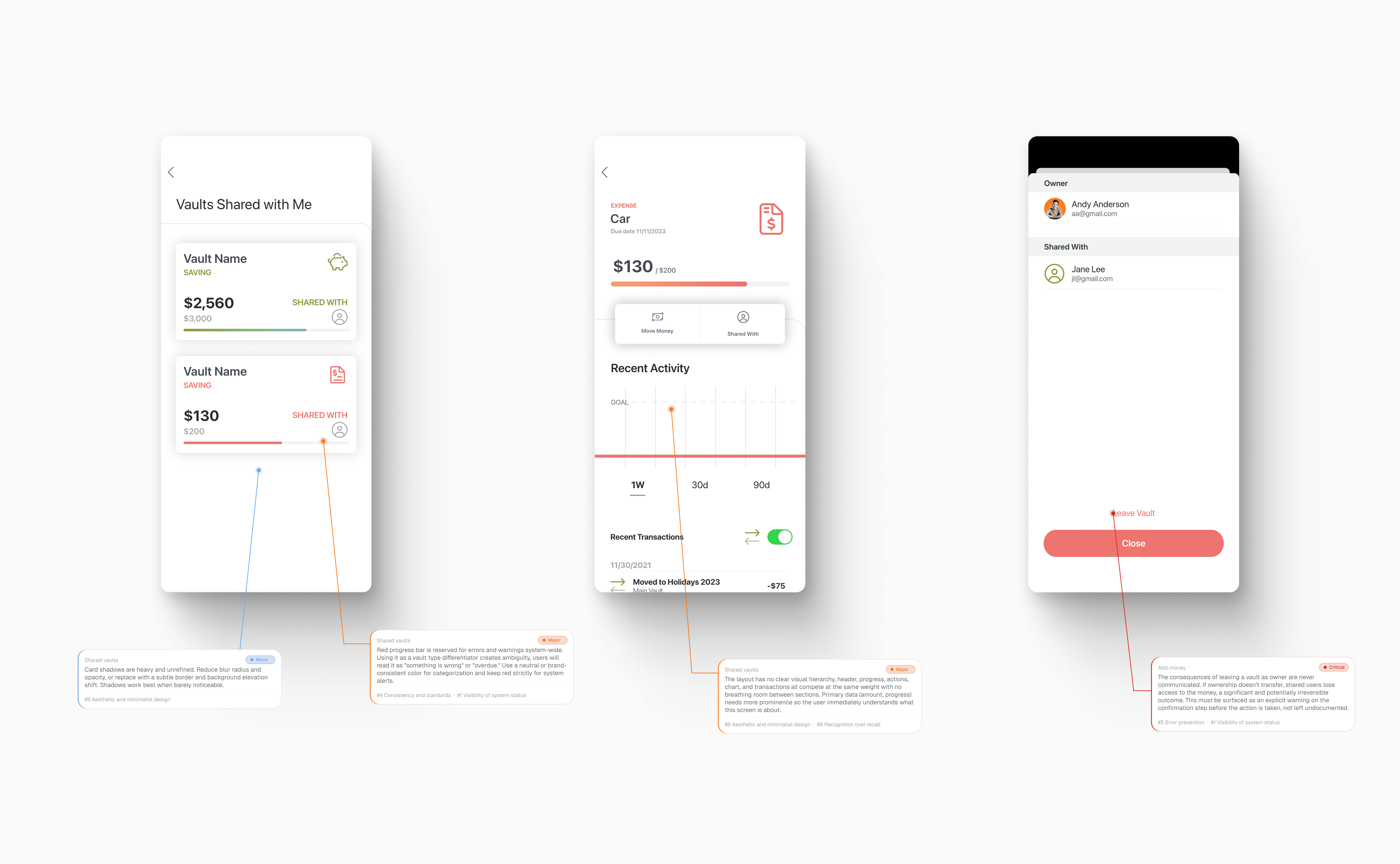
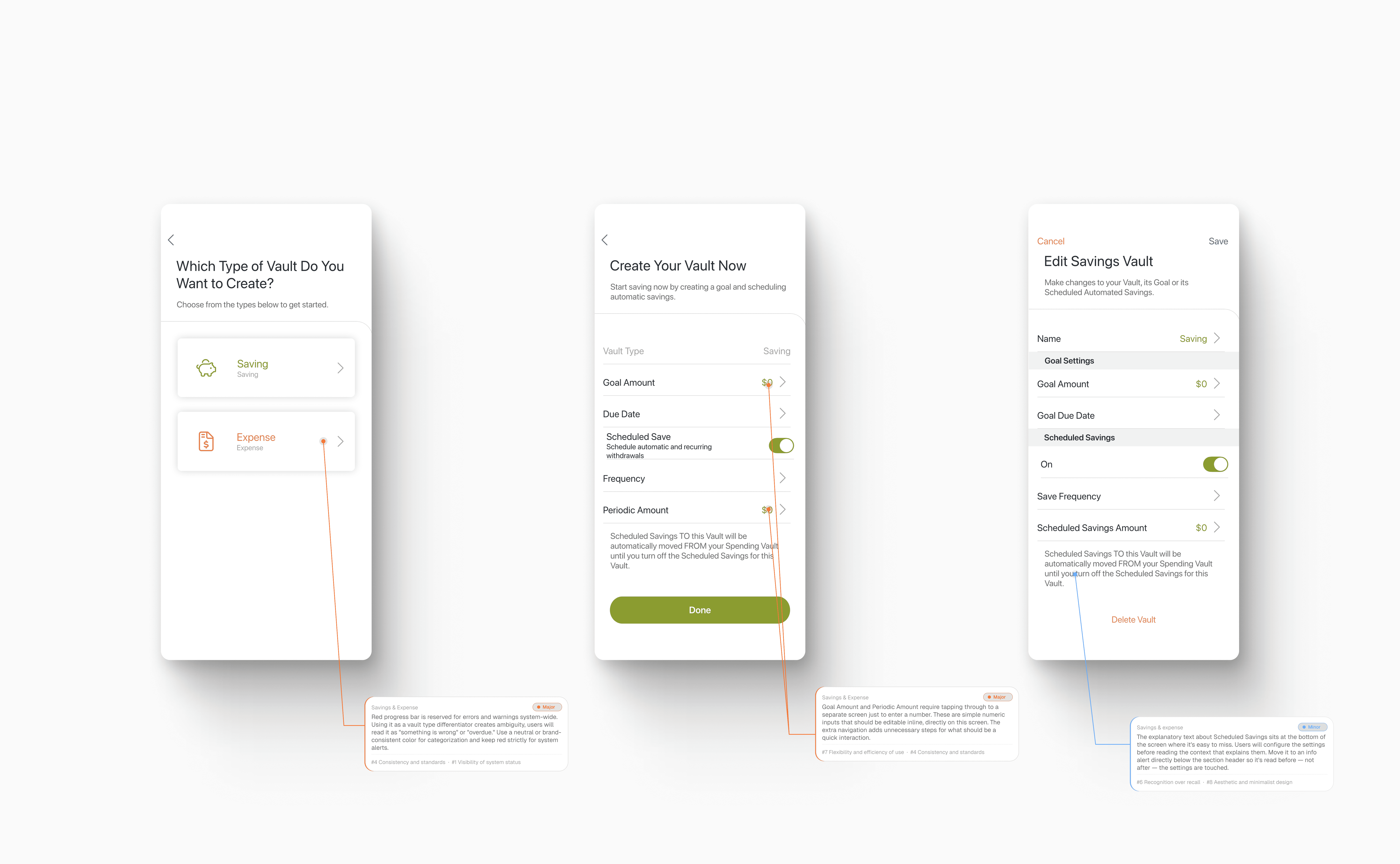
Before touching a single screen, I needed to understand the product from the inside out. I went through every major user flow and documented what was happening at each step: what worked, what created friction, and what was broken entirely.
Each finding was categorized by severity (Critical, Major, or Minor) and mapped to the corresponding Nielsen heuristic. This gave the client something concrete to work with, not just a list of opinions but a structured case for where to focus and why. Ten flows were audited in total.
Flow 1
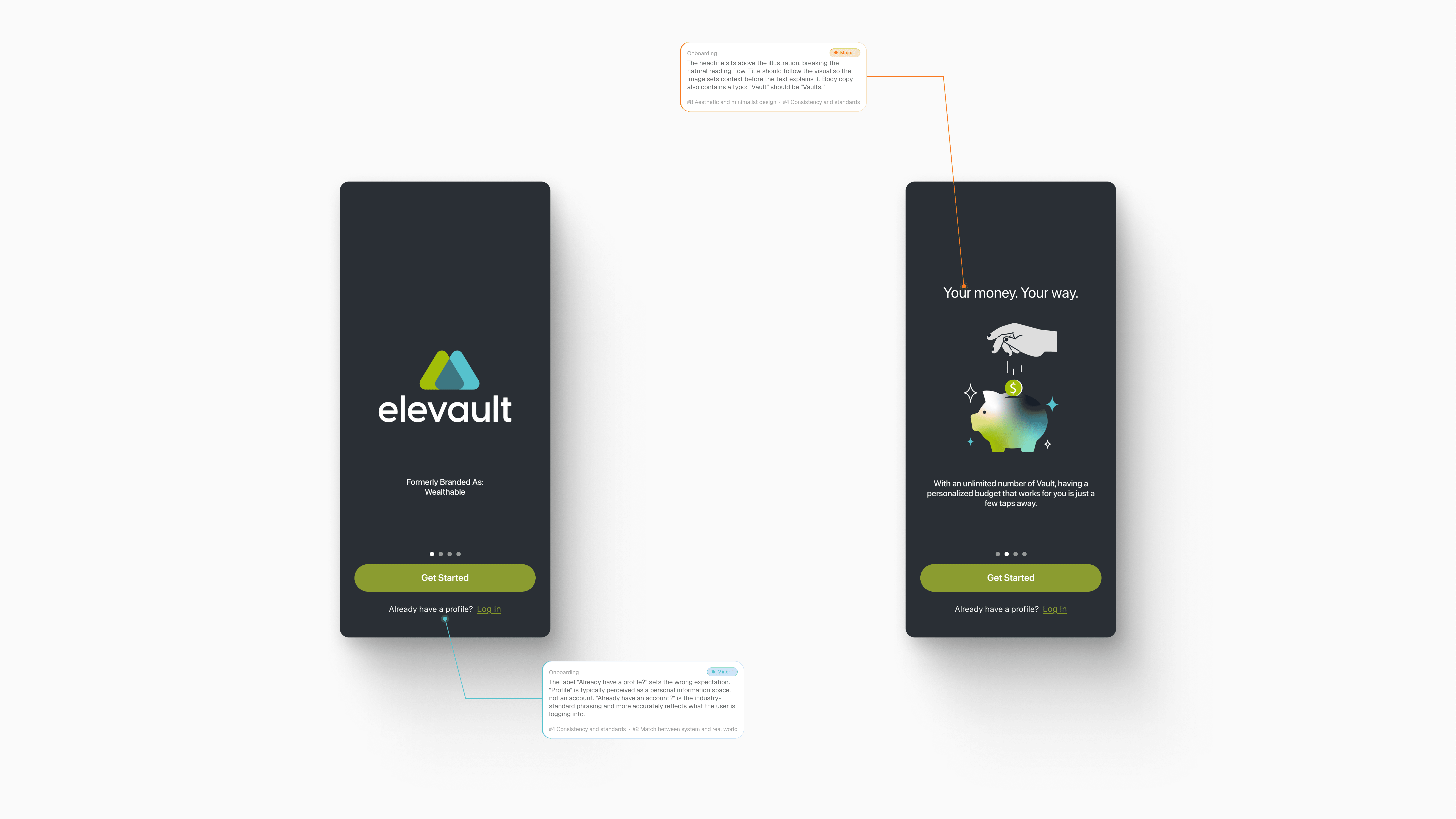
Flow 2
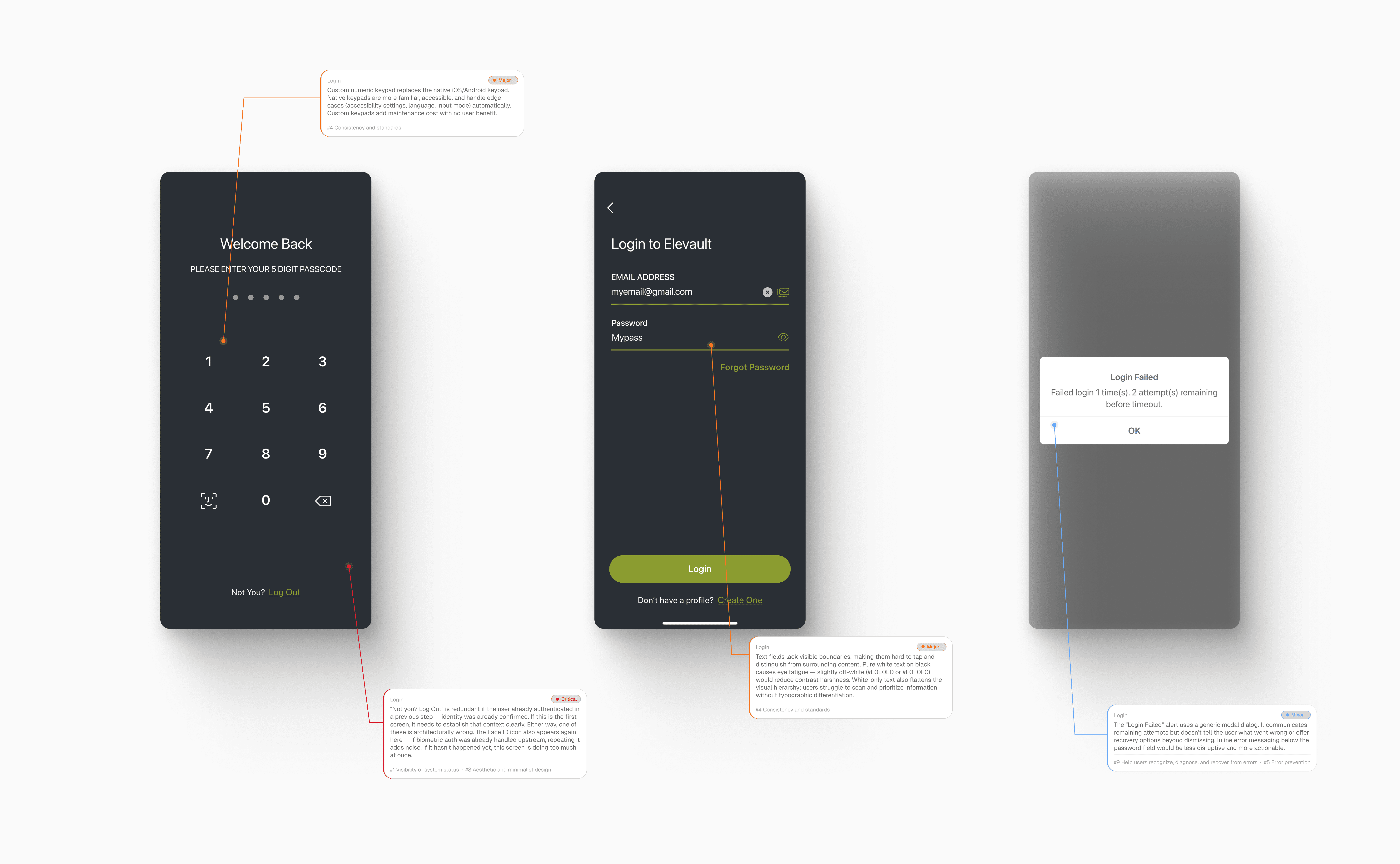
Flow 3 (portion 1)
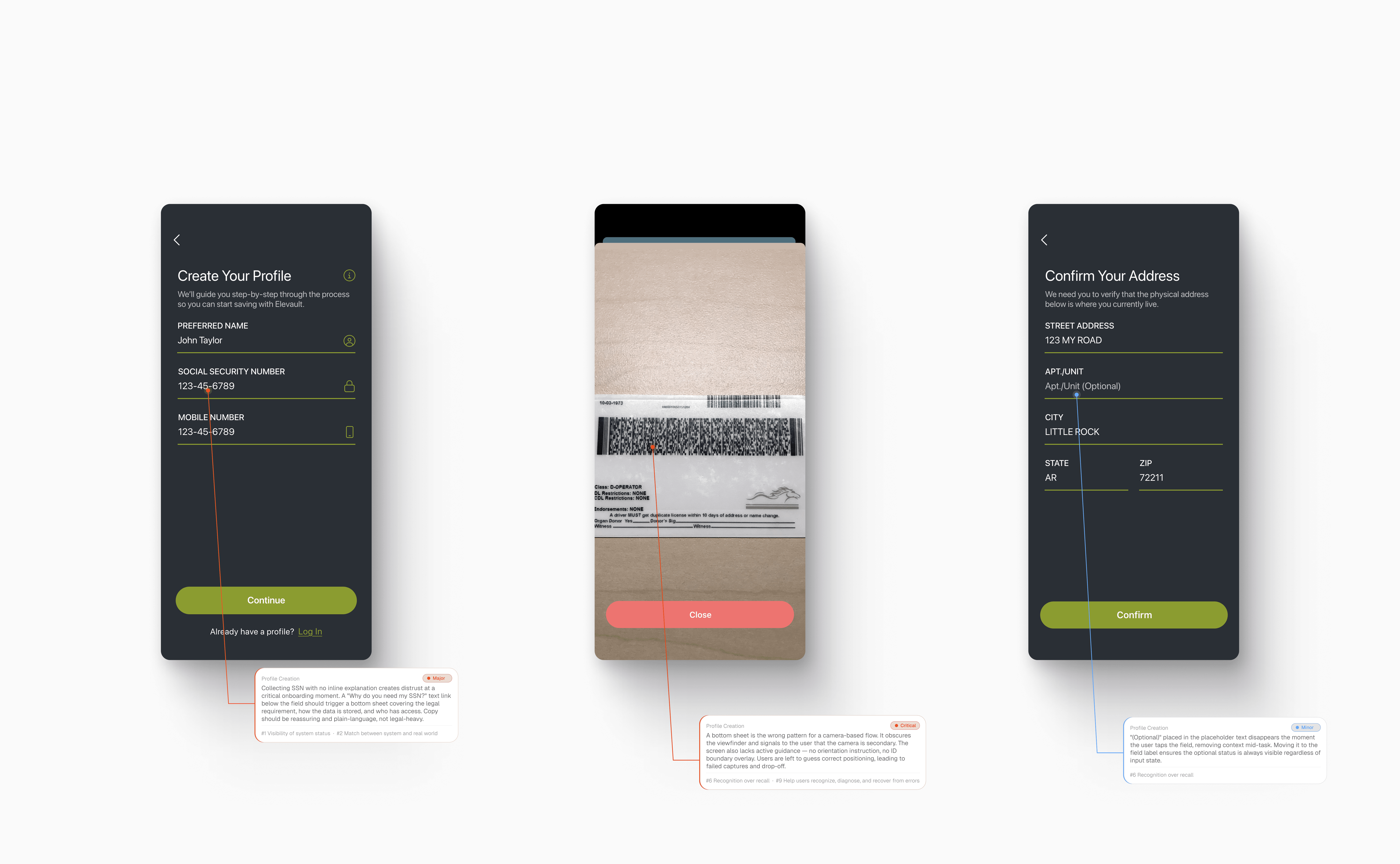
Flow 3 (portion 2)
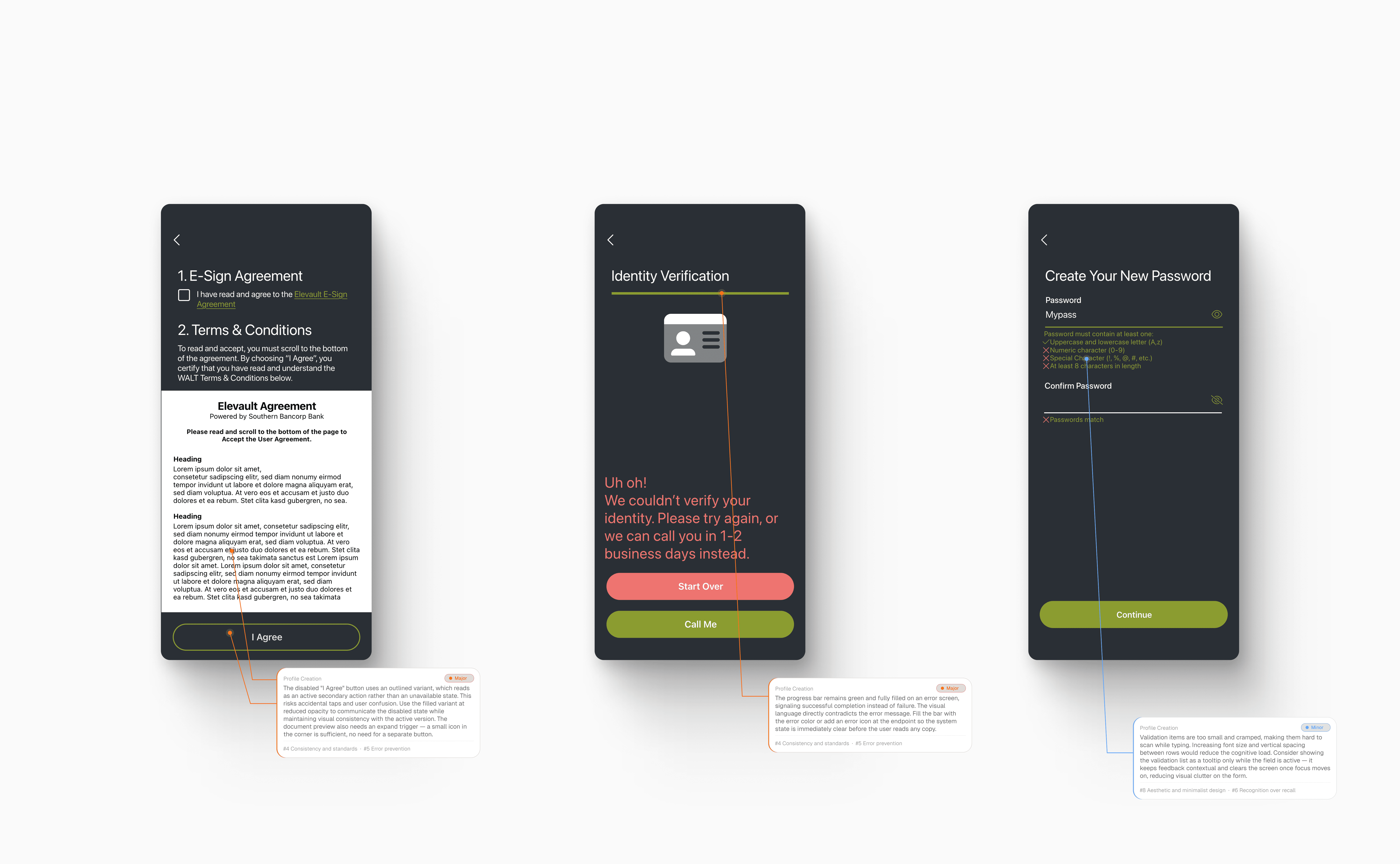
Flow 4
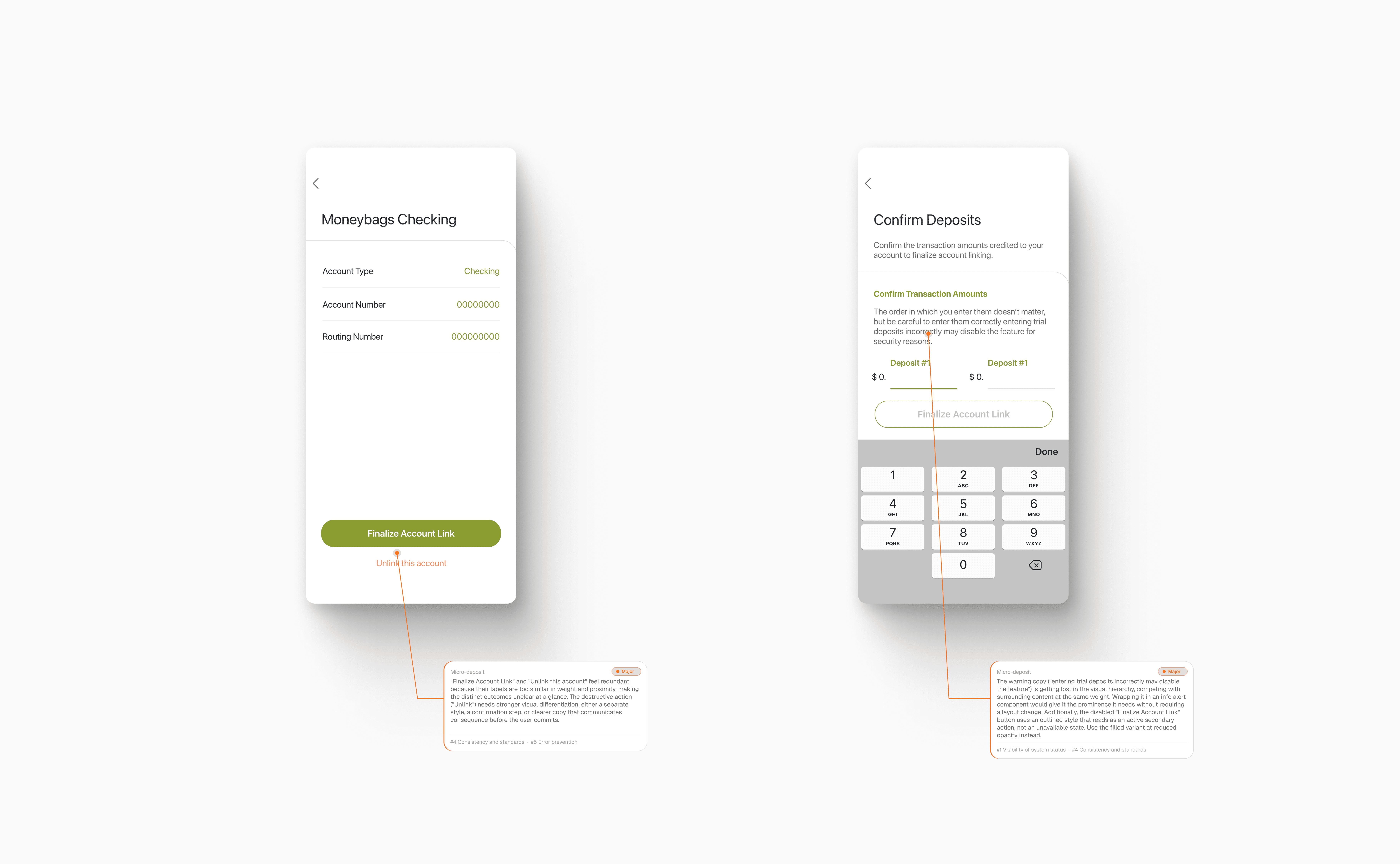
Flow 5
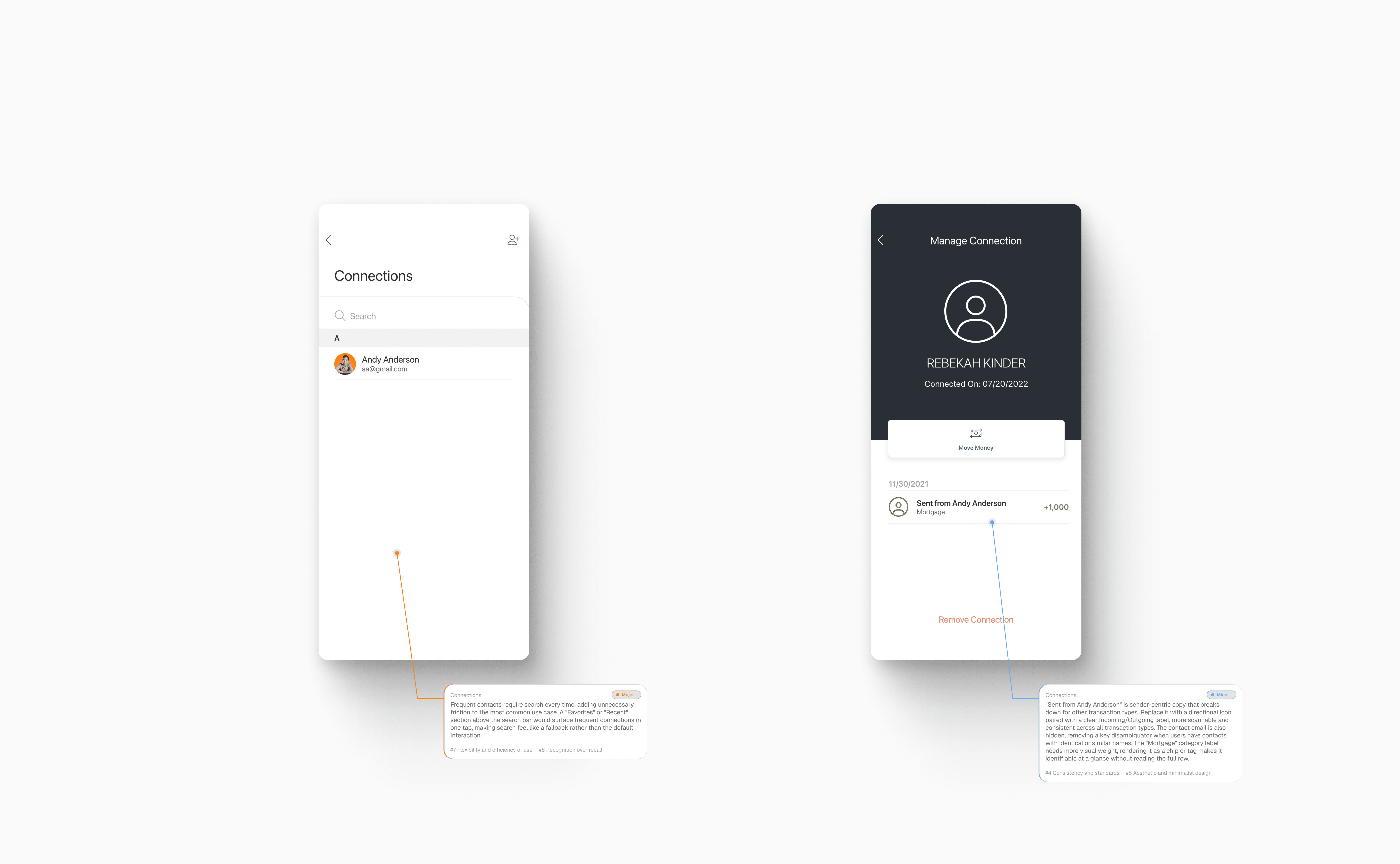
Flow 6
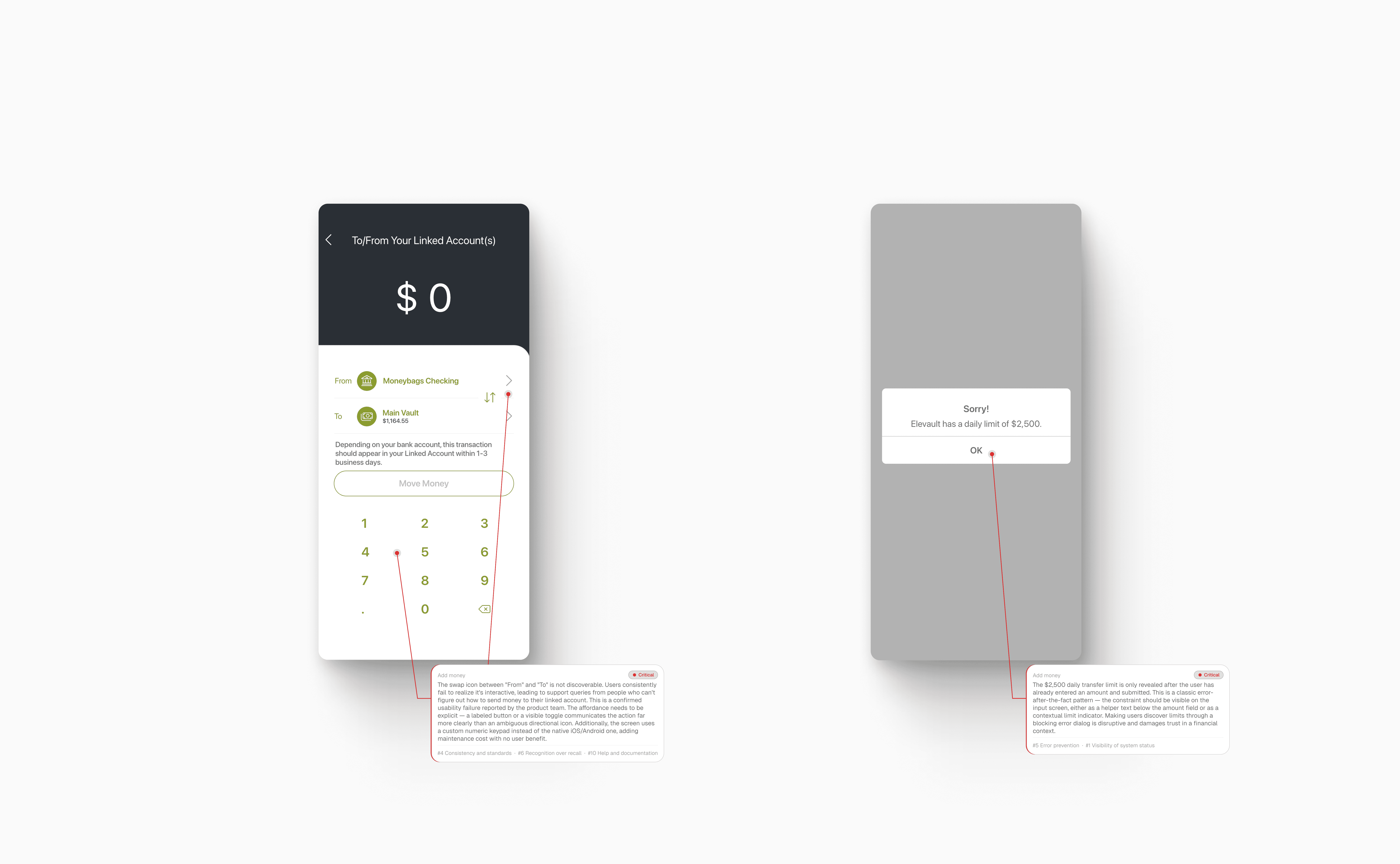
Flow 7
Flow 8

With the audit findings in hand, the next step was mapping how users actually move through the product from end to end. Before designing a single screen, I needed to make sure the logic was right: what decisions users face, what paths branch off, and where the system needs to handle errors or edge cases.
These flows covered the full app, connecting every major section into a single coherent map. They became the foundation that kept the high-fidelity design grounded in real user behavior rather than assumptions.
THE SOLUTION
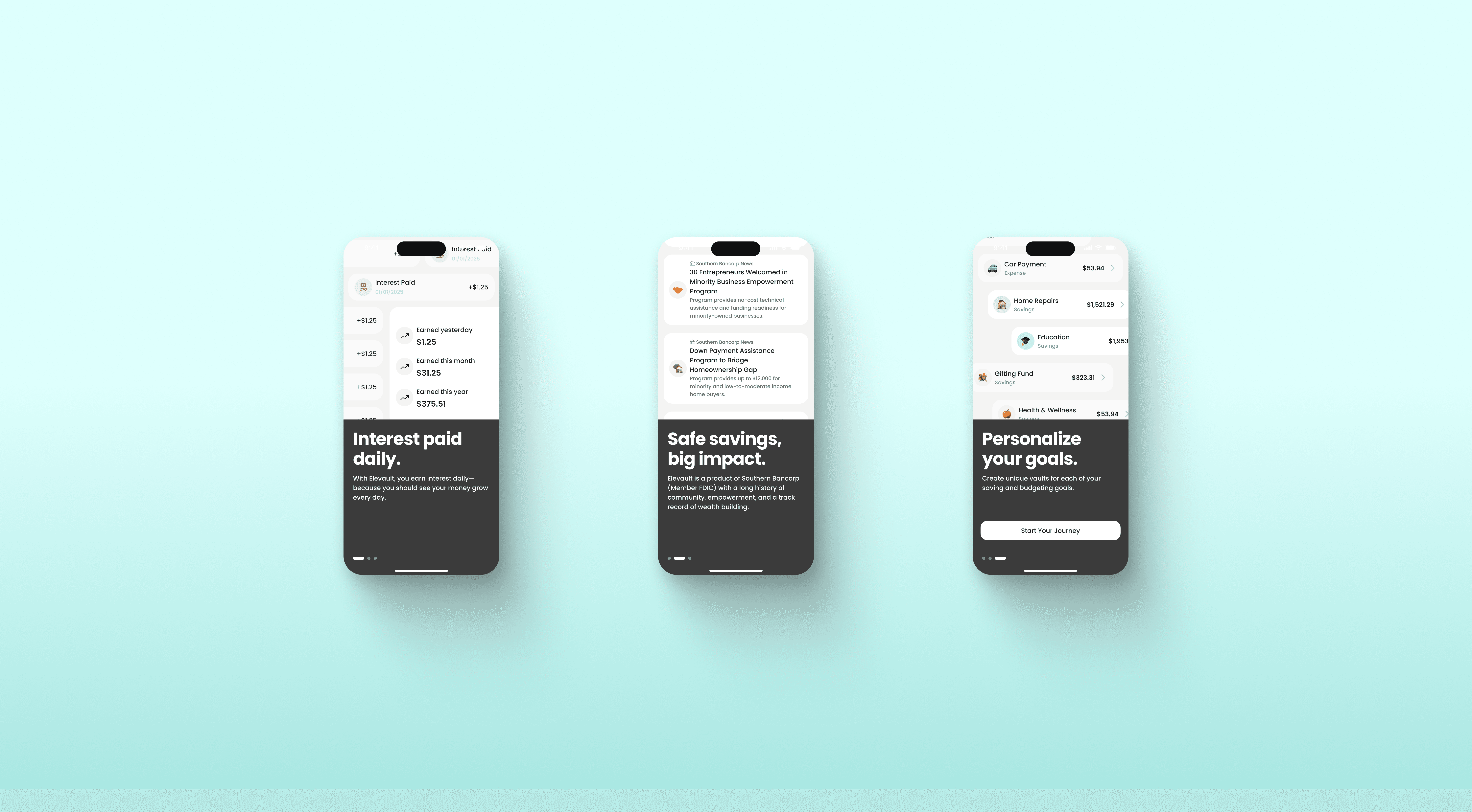
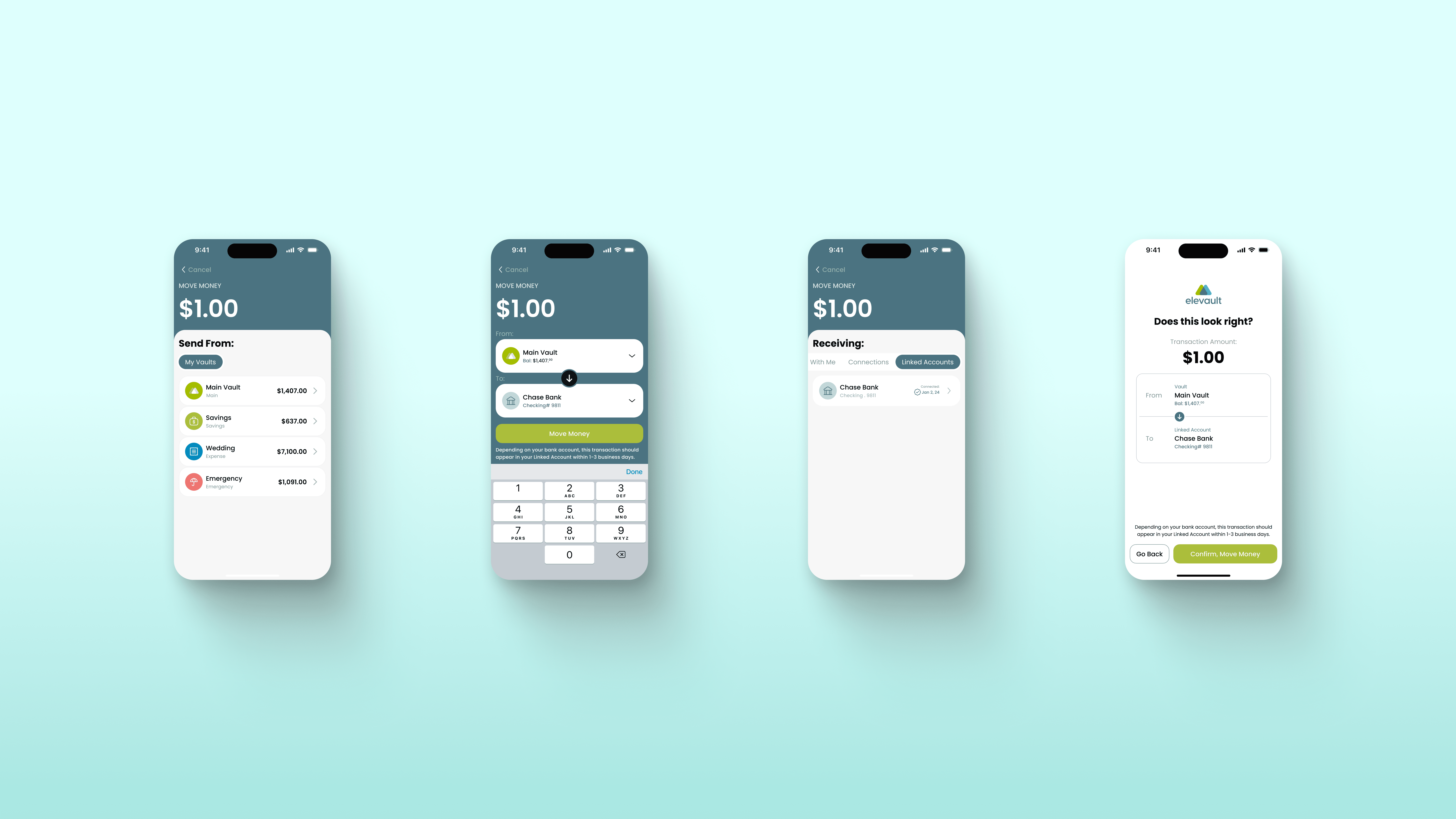
With the audit complete and the user flows mapped, we moved directly into high-fidelity design. Budget and timeline left no room for wireframes or usability testing, so every decision had to be deliberate from the start. The audit findings did a lot of that work for us: we already knew what was broken, who was affected, and how severe each issue was. That clarity made it possible to skip intermediate steps without losing confidence in the direction.
Another designer and I split the screens between us and pushed through the full UI together, covering every flow from onboarding to vault management. Below are some portions of the most relevant flows.
Flow 1
Flow 2
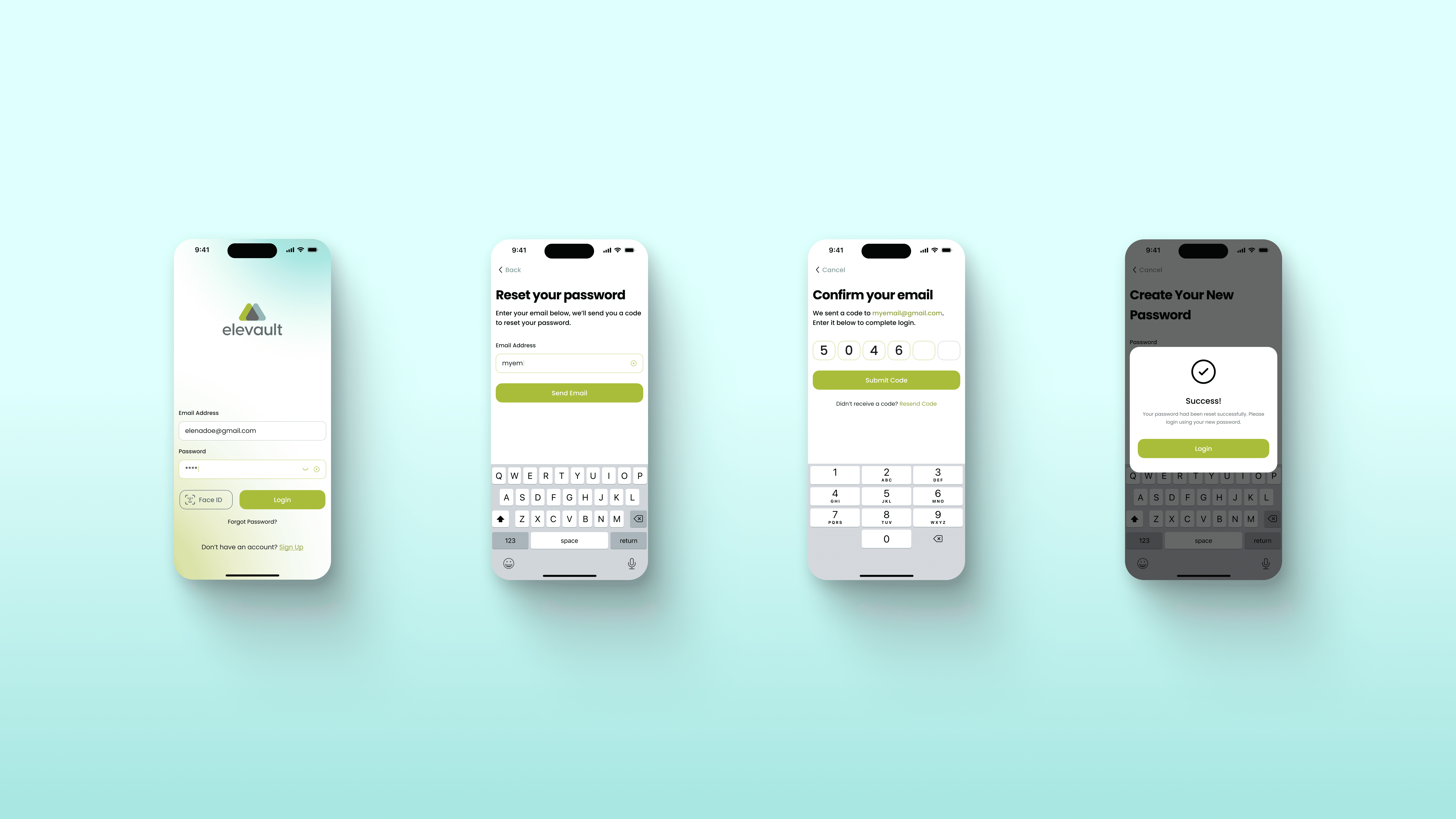
Flow 3
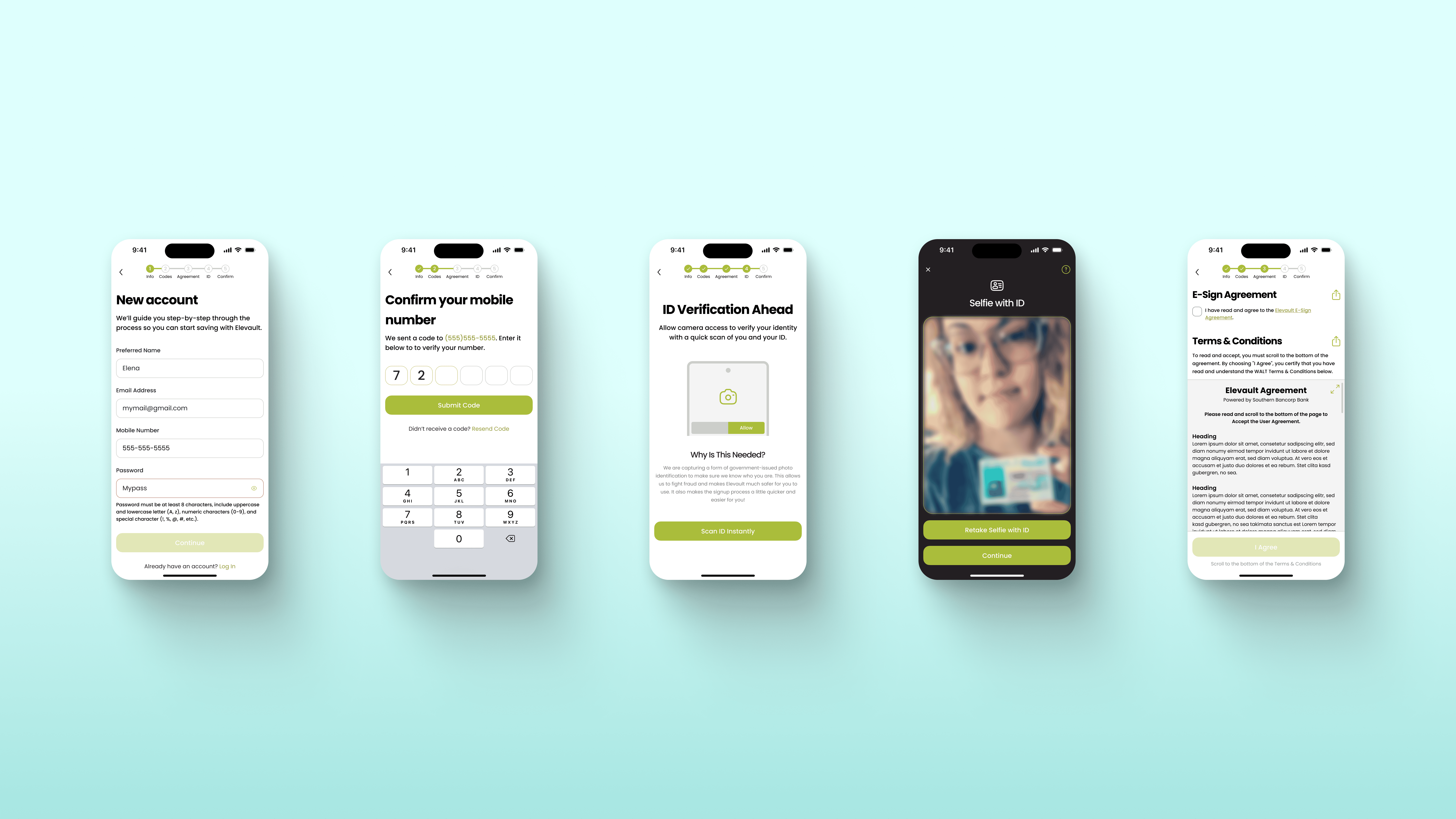
Flow 4
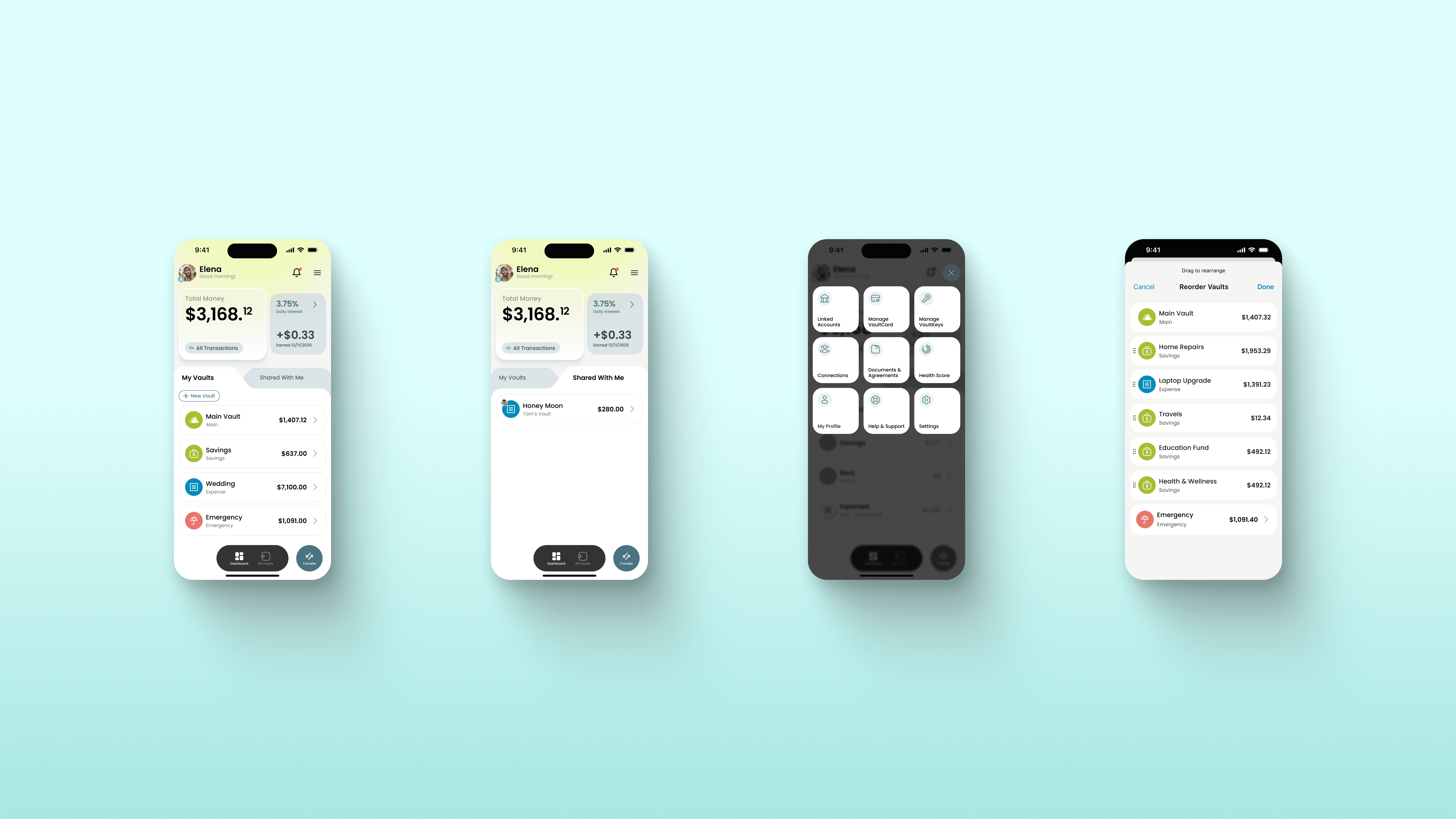
Flow 5
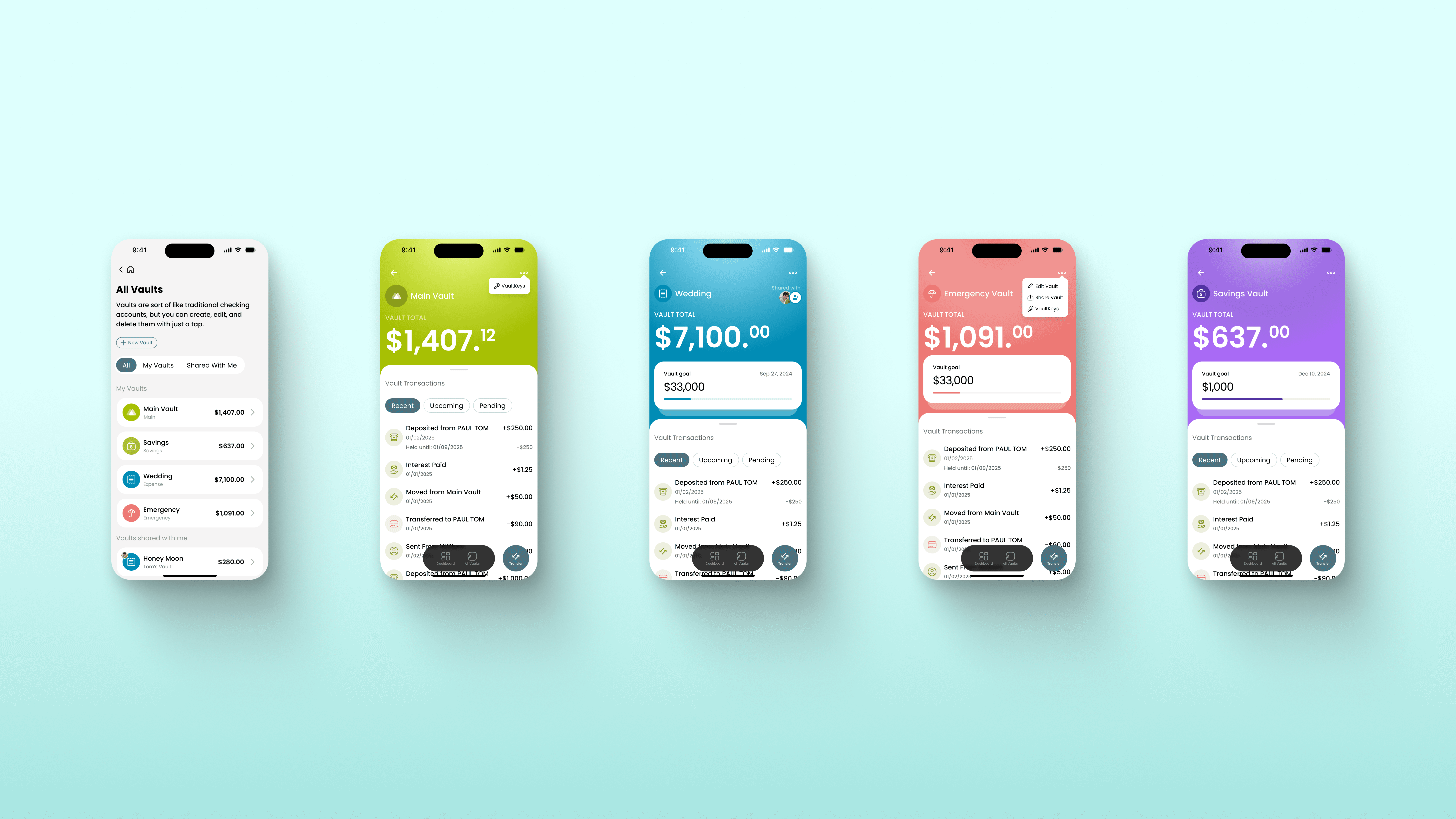
Flow 6
OTUTCOME
The redesigned app shipped and is currently live on the App Store and Google Play. The audit that started as a diagnostic exercise became the foundation for a complete product overhaul. What the client originally came to us to evaluate, they ended up rebuilding entirely.
Without formal testing data to reference, the clearest measure of impact is that the product made it to market and users are actively using it today.
Conclusion
This project started as an evaluation and turned into something much bigger. When the client came to us, they were not sure what was wrong with their product. They just knew something was off. Going through every flow with fresh eyes and documenting what we found gave them the clarity they needed to make a real decision, and that is a different kind of value than shipping new screens.
The audit also reminded me that good UX work is not always visible. Nobody sees the heuristic violation you caught before it made it into production, or the flow you rethought before a single user hit a dead end. That invisible work is often what makes the difference between a product people trust and one they quietly give up on.
Working under real constraints, no wireframes, no testing, a tight timeline, taught me to trust the research. When you have done the diagnostic work thoroughly, you carry that confidence into every decision that follows. The process does not have to be perfect to be solid.